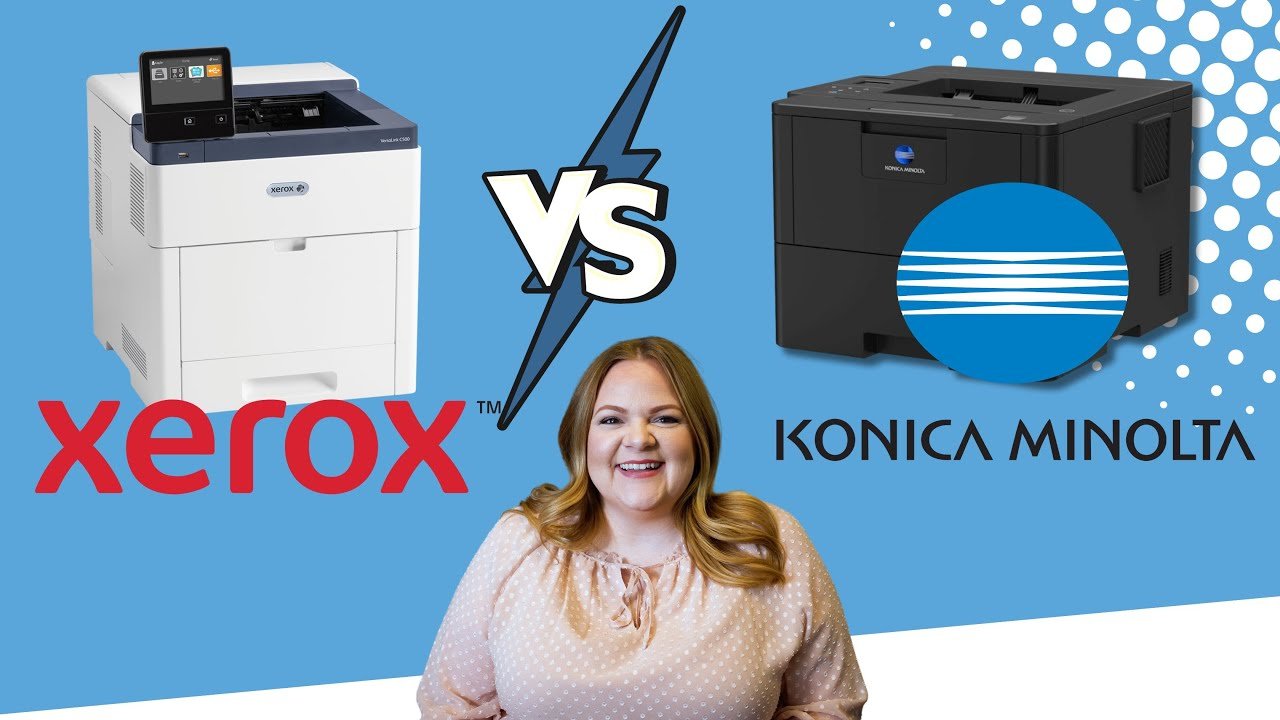
Entry-Level vs. High-Volume Production Printers: Which One Is Right for Your Business?

Submitted by Byanka Ramos on

If you’ve started looking into production printers, you’ve probably realized there’s a big choice to make right away: Should you go with an entry-level production printer or invest in a high-volume model?

It’s not always an easy call. Entry-level models are more affordable and compact, but will they keep up with your workload? High-volume printers are powerhouses, but do you actually need all that speed, finishing, and media flexibility? Picking the wrong one can mean wasted money, constant frustration, or a printer that sits half-idle.

As veteran print vendors, we’ve helped businesses of all sizes select the right Xerox production printer for their needs. Whether a school prints a few thousand pages a month or a commercial shop runs millions, we have the right solution. We know the specifications inside and out, but more importantly, we know how those specs play out in the real world.

What Is Xerox ConnectKey Technology?

Submitted by Karla Metzler on

Choosing the right office printer isn’t just about print speeds or color quality anymore. These days, it’s about how your printer fits into the way your business works. Can it handle remote printing? Keep your documents secure? Save your team time with automation?

Well, with Xerox ConnectKey Technology, your printer can do all that, and more.

Xerox ConnectKey Technology is a broad platform that encompasses a lot of different features and is specific to certain machines in Xerox’s catalog. 

As Xerox Platinum Partners, we’ve worked with businesses of all sizes to figure out how ConnectKey can make a difference in their day-to-day operations. In this guide, we’ll break down what ConnectKey actually is, what machines it runs on, what it can do, and how to tell if it’s something your workplace actually needs.

What Is Xerox ConnectKey Technology?

What Is Xerox's Robotic Process Automation?

Submitted by Karla Metzler on

Have you ever found yourself thinking, "There has to be a smarter way," while handling repetitive tasks such as entering invoices, onboarding new hires, or managing customer service emails? These routine activities drain valuable time and energy that could be better spent on work that truly advances your business.

This is precisely where Robotic Process Automation (RPA) can make a difference. As part of Xerox Capture and Content Services, RPA helps streamline your business by handling the boring stuff so your team can focus on higher-impact work like strategy, innovation, and growth.

As longtime Xerox solutions partners, we’ve worked with countless organizations who are ready to automate the busywork but aren’t sure where to start. In this blog, we’ll break down what Xerox RPA is, how it fits into Xerox’s broader digital ecosystem, and whether it might make sense for your team.

Xerox Workplace Cloud vs. Xerox Workplace Suite: Which Print Management Solution Is Right for You?

Submitted by Byanka Ramos on

Managing your office's printing environment probably isn't the most exciting part of your day. But when it doesn't run smoothly? It's a problem that gets everyone talking, and not in a good way.

If you're exploring ways to make printing simpler, more secure, or less of a time-suck for your IT team, you may have come across two Xerox solutions: Xerox Workplace Cloud and Xerox Workplace Suite. They sound similar, and honestly, they do share a lot of features. But how they're deployed and who they're best for is where their differences start to matter.

What Is Xerox DocuShare? 

Submitted by Nolan Fowler on

Tired of chasing down documents across shared drives, email chains, and desktop folders? You’re not alone. Most businesses today are juggling hybrid teams, compliance rules, and mountains of paperwork. All of this can add up to wasted time and growing risk. If your organization is starting to feel the strain, you might be asking: is there a smarter way to manage it all?

We’re Strategic Technology Partners of Texas, and we’ve been in the print and document game for almost 40 years. As longtime Xerox partners, we know their solutions inside and out, including the content management platform we’re talking about today: Xerox DocuShare.

Now, full disclosure: yes, we offer DocuShare. But no, we’re not here to push it on you. Our goal is to give you an honest, easy-to-understand look at what it is, what it isn’t, and whether it might make sense for your business.

Is Managed Print Services Right for Your Hospital? (Pros and Cons) 

Submitted by Karla Metzler on

Hospitals are nonstop. With patients to care for, records to manage, and teams across departments juggling their own devices, managing your print environment might not be the first thing on your mind. However, it can quietly drain your budget and staff resources.

In our 35+ years as a local print vendor, we’ve helped many hospitals cut back on excess print costs. Sometimes, we save up to 30% just by consolidating service, supplies, and strategy under a Managed Print Services (MPS) contract.

So, is MPS the right move for your hospital? This blog breaks it down. We’ll explain what MPS is, highlight the pros and cons, and share a real example of how one Texas hospital streamlined their printing and saved 15%.

Xerox Workplace Cloud vs. Y Soft SAFEQ Cloud: Which Print Management Platform Is Right for You?

Submitted by Byanka Ramos on

Whether you're managing five offices or one printer fleet spread across a mostly remote team, modern print environments can be complicated. Too many drivers. Too many brands. Too many support tickets.

If you're here, you're probably considering cloud-based print management to make your life easier. Smart move. Cloud platforms are where things are heading. The big question now is: Should you go with Xerox Workplace Cloud or Y Soft SAFEQ Cloud?

At Strategic Technology Partners of Texas (STPT), we’ve been in the print game for almost 40 years, partnering with both Xerox and Y Soft. We don’t just sell boxes, we help businesses actually manage their print environments efficiently and securely. That means we know the ins and outs of both platforms.

Xerox App Gallery vs. HP Workpath: Which Ecosystem Works Best for You?

Submitted by Keith Metzler on

For years, printers have had a reputation for being clunky, frustrating, and out of step with modern office needs. But that’s changing fast. Today’s printers, especially those powered by smart app ecosystems, can automate tasks, streamline workflows, and make life a whole lot easier.

But with two of the biggest players in the game, Xerox App Gallery and HP Workpath, how do you know which one fits your business best?

Before we dive in, we want to be transparent. We work with Xerox and specialize in their App Gallery. That said, our goal with this blog isn’t to sell you something; it’s to help you make an informed decision. Choosing the right platform matters, and if HP Workpath is the better fit for your team, we want you to know that too.

Is Managed Print Services Right for Your School? (Pros and Cons)  

Submitted by Karla Metzler on

Running a school means managing a thousand things at once. This includes printers. However, keeping them up and running often ends up near the bottom of that list. Whether you're printing lesson plans, testing materials, or administrative paperwork, printing is a major part of school operations. And it can quietly drain your budget and staff time.

At STPT, we've spent over 35 years helping schools regain control over their print environments. Excessive printing costs can add thousands of dollars to a school's monthly expenses, creating chaos with overflowing toner closets, malfunctioning devices, and mounting invoices. That's where Managed Print Services (MPS) comes in as a reliable solution to streamline print management and reduce costs.

This blog explores whether MPS is the right fit for your school. We’ll break down what MPS is, its biggest benefits, its potential drawbacks, and how to decide if it makes sense for your school.

Subscribe to