 Skip to main content
How to quickly use Xerox Auto-Redaction App
At STPT, we make it our goal to provide quality printing information that is easy to understand, so you know where to go to find answers to your print questions.

At STPT, we make it our goal to provide quality printing information that is easy to understand, so you know where to go to find answers to your print questions.

Although they may seem confusing, cloud-based management platforms are vital for companies and workgroups because they allow users to access and transform information at any time from multiple devices.
The benefits of cloud-based document management and productivity platforms are numerous: workflow automation protocols, constant information accessibility, and enhanced security features are made available to all your team members—no matter where they are located. And, as your team grows, your cloud-based document platform grows with you, and using cloud-based productivity platforms is especially helpful for companies or work groups that are embracing remote and flexible work options.
As many workgroups and businesses move into the digital space, the need for cloud-based productivity management grows.
Xerox’s answer to this growing need is Xerox Workflow Central, a productivity app that allows users to optimize document conversion.

Work never stops, and sometimes it can take hours just to read through one document.
You may be one of the many people who has to read documents at home during off-time just to keep up with your workload but doing that also has its downsides; it can lead to you feeling overworked, take away from time spent with your friends or family, and negatively impact your work-life balance.
One way to resolve these issues is to try an audio conversion app like the Convert to Audio app, included in Xerox Workflow Central. With the application, you can transform your work documents into mp3 audio files.
Instead of spending your off time desperately reading through paper documents at home, you can listen to work documents whenever you want: in the car, while washing your dishes, or even when exercising.
This app gives you the flexibility to complete multiple tasks at once, which saves time and increases your productivity.

Old habits die hard.
No matter how digital our world becomes, many of us still write our notes the old-fashioned way: with pen and paper.
Sometimes, when you’re on a quick work call or jotting out a to-do list, it is easier to scratch out notes on a sticky pad or in a notebook.But what happens when you need to share those notes with other people or turn them into an easy-to-read digital document?
The Handwriting to Text app in Xerox Workflow Central allows you to do just that. In a blink of an eye, the app transcribes your notes into text and puts them in an easily shareable digital format.
As a Xerox Diamond Authorized Solution Provider, STPT possesses the expert knowledge to help you figure out what the Handwriting to Text app is and how to install it on your device.

In 2020, it was reported that Chromebooks were outselling Macs two to one.
Although many people assumed the sudden increase in Chromebook sales was directly related to the Covid-19 pandemic, recent research indicates that Chromebooks by Google and the Chrome OS continues to attract consumer interest because of its low price and easy-to-use interface.
Now, more and more small businesses and organizations are turning to Chromebooks as a cheaper alternative to Windows and Macbook computers.
But as more organizations begin to use Chromebooks in the office, the issue of Chromebook printer compatibility has become more important than ever before.
As a print vendor with nearly 40 years of experience, STPT is knowledgeable and dedicated to helping you adapt your workplace to the demands of the 21st century.

Xerox Workflow Central is a versatile, cloud-based, platform built for modern workgroups in the digital space.
Is it the right fit for you, though?
As a Xerox Platinum Solutions Partner, it is our job to stay on top of the different features offered by the brand that can help you achieve a better overall print environment.
One of those is the Xerox Workflow Central platform which can be found in the Xerox App Gallery. It has plenty of benefits, but also some notable cons, including the fact that you must pay a monthly subscription for its features.
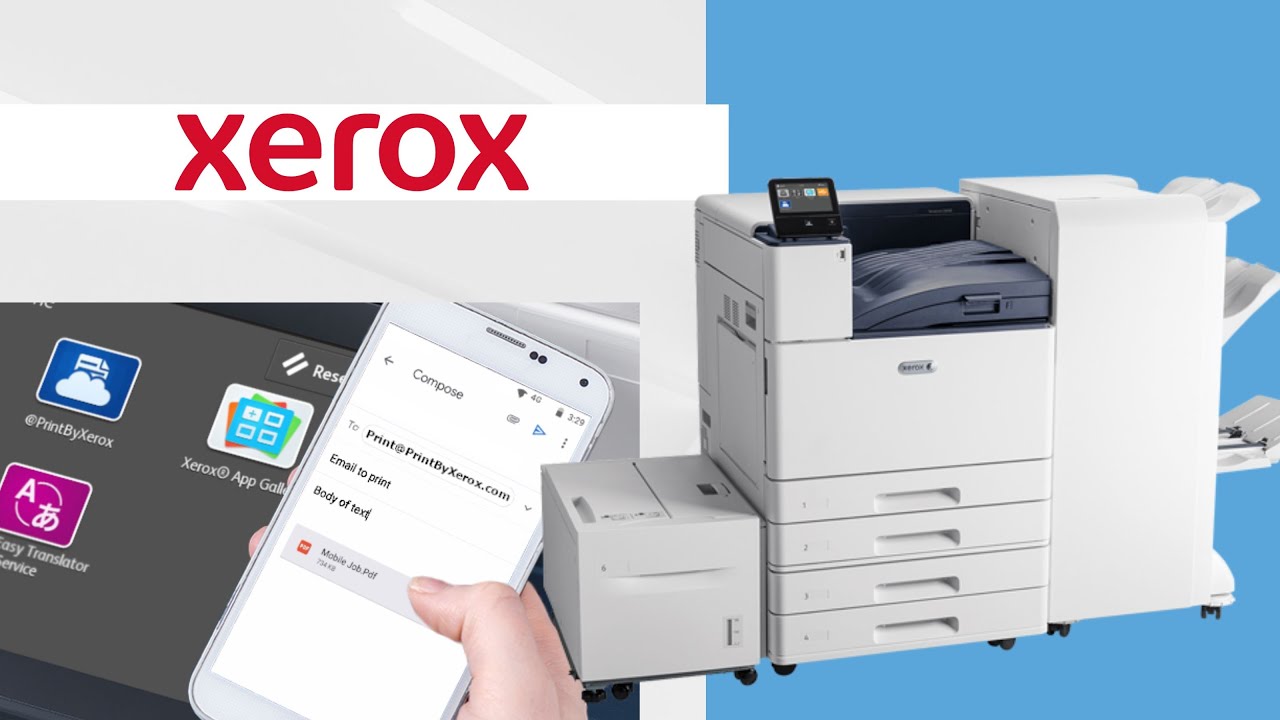
@PrintByXerox is an application in the Xerox App Gallery that is free to download and available to users with a compatible Xerox printer.
But how do you use it?
Since printing from your phone has become increasingly common with the advancement of technology, it’s important to know how to do it---especially because it can save you time and is free to do.
As a Xerox Platinum Solutions Partner, we have specific training on their machines, and one of the main features associated with their printers/copiers is apps.

If you’ve purchased, or plan to purchase, a Xerox machine and want to include managed print services, then you will need to become familiar with the Xerox Device Agent (XDA).
The XDA is essential to understand if you want to enable services like automatic shipments of supplies, such as toner or ink cartridges, and receive detailed reports on usage levels.
But what exactly is the XDA? And how do you install it on your network and add your devices to it?
Navigating the copier/printer industry and looking for a reliable print vendor can be quite the hassle. You may not know if you’re getting the best deals, the best equipment, or even if you’re working with the best vendor.
We here at Strategic Technology Partners of Texas have been operating for over 35 years, and we’ve experienced firsthand the difference that a good vendor/customer relationship can have. We also know that understanding the history of your print vendor can help you avoid any confusion, especially if they’ve changed names a couple of times like us.

We all know that in today’s digital world, having access to the applications you need is a big deal. Whether it’s on a cell phone or a multifunction printer, apps are the go-to source for convenience. With Xerox, you can take your applications to another level- by creating your own with the Xerox Personalized Application Builder Program.
The Xerox Personalized Application Builder Program is designed to allow you to work with a Xerox Partner or Xerox directly, in order to have a custom application built for you.