 Skip to main content

Smaller offices often have to choose between a basic desktop printer that may not handle shared workloads and a full-size copier that may be overkill.
The Xerox C305ae is designed to sit between those two ends of the spectrum. It brings color printing, copying, scanning, and faxing into a compact A4 device, along with a touchscreen, wireless connectivity, and workflow tools intended to simplify everyday document tasks.
We have spent more than 40 years helping organizations evaluate and manage Xerox equipment. That experience has taught us to look beyond a feature list and consider how a printer will function in a real workplace. This review covers the C305ae’s specifications, features, drawbacks, cost, and ideal users.
Table of Contents
- Short Answer: Is the Xerox C305ae a Good Printer?
- What Is the Xerox C305ae?
- Xerox C305ae Specifications
- Xerox C305ae Key Features
- Xerox C305ae Pros and Cons
- How Much Does the Xerox C305ae Cost?
- Who Should Buy the Xerox C305ae?
- Is the Xerox C305ae Worth It?
- FAQ
- Choose a Printer That Fits Your Work
Short Answer: Is the Xerox C305ae a Good Printer?
The Xerox C305ae is aimed at small and mid-sized workgroups that need fast color output and regular scanning. Its single-pass duplex scanner, 4.3-inch touchscreen, wireless support, and expandable paper capacity make it versatile, although it’s not intended for tabloid-size documents or sustained high-volume production.
What Is the Xerox C305ae?
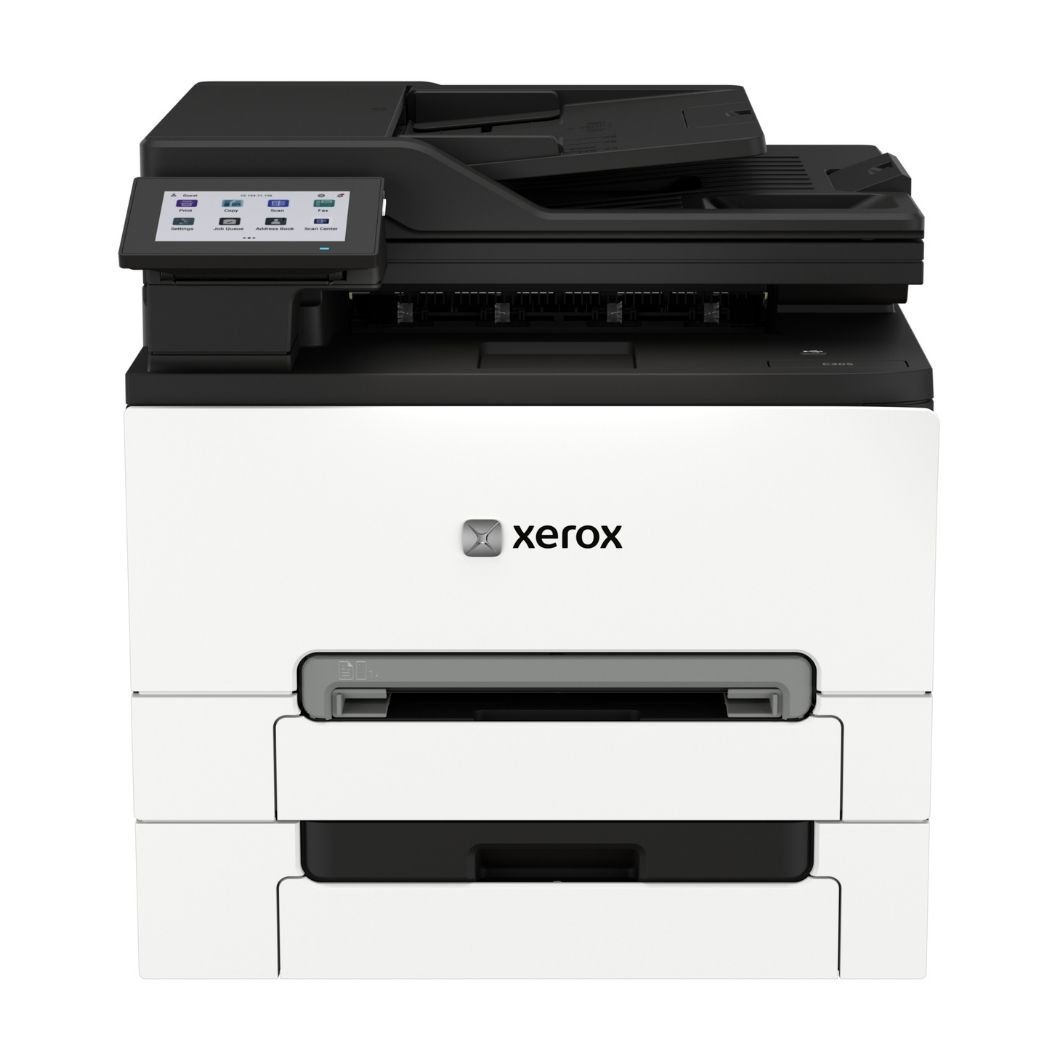
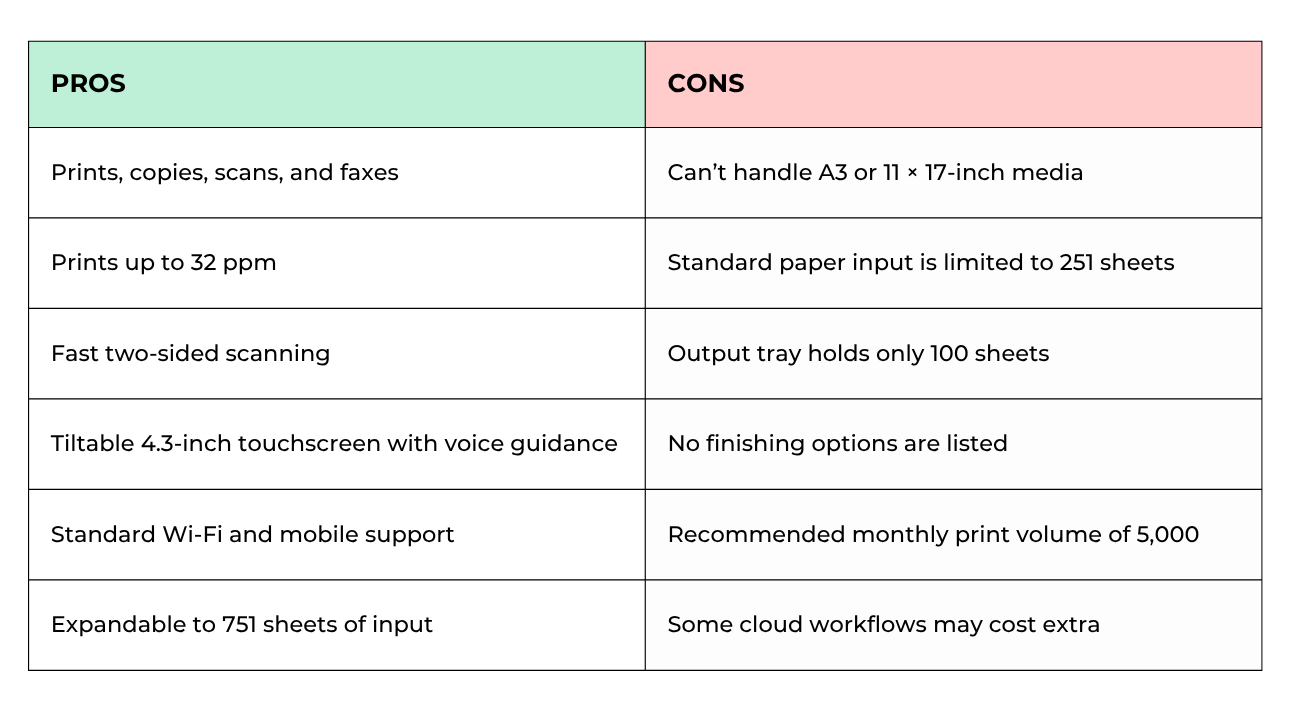
The Xerox C305ae is a compact A4 color multifunction printer that can print, copy, scan, and fax. It prints up to 32 pages per minute on letter-size paper and is recommended for an average monthly volume of up to 5,000 pages.
Its 50-sheet single-pass duplex automatic document feeder captures both sides of a page in one pass, which is useful for digitizing contracts, forms, and invoices.
The device handles paper sizes up to 8.5 × 14 inches, so it covers most everyday business documents. However, it doesn’t support A3 or 11 × 17-inch media.
Xerox C305ae Specifications
- Print speed: Up to 32 ppm letter and 30 ppm A4 in color and black-and-white
- Print resolution: 2400 × 600 dpi; or 1200 × 1200 dpi
- Recommended monthly print volume: Up to 5,000 pages
- Monthly duty cycle: Up to 75,000 pages
- Connectivity: USB, Gigabit Ethernet, Wi-Fi, Wi-Fi Direct, Apple AirPrint, Mopria, and Chromebook support
- Minimum dimensions: 2 × 15.7 × 13.6 inches (W × D × H)
- Weight: 6 pounds
Xerox C305ae Key Features
Fast Output and Efficient Two-Sided Scanning
At up to 32 pages per minute, the C305ae can keep everyday documents moving without long waits. The first page can arrive in as little as 8.3 seconds in black-and-white or 8.6 seconds in color.
Scanning is another strong point. The single-pass duplex feeder scans both sides of a document simultaneously at up to 96 images per minute in black-and-white or 42 images per minute in color. The device can also scan while another job is printing, so a shared office avoids unnecessary bottlenecks.
Print quality reaches 2400 × 600 dpi, with a 1200 × 1200 dpi setting available. It should produce clear text and polished color graphics for typical business use.
Straightforward Controls and Accessible Operation
A 4.3-inch tiltable color touchscreen makes it easier to review settings, start scan jobs, and move among core functions. Voice guidance is available through the built-in speaker or a connected headset.
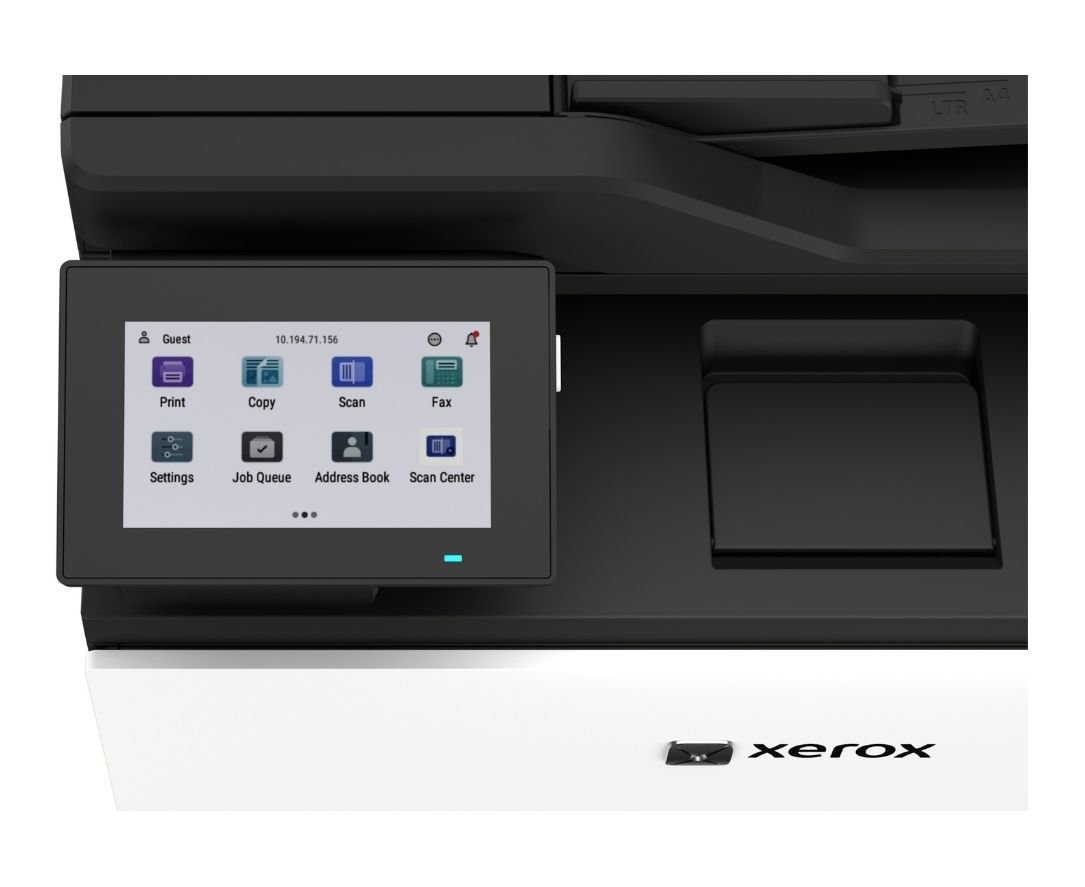
The Xerox Easy Assist App supports mobile setup, supply monitoring, password management, and access to self-help resources. The Xerox Print and Scan Experience App provides another convenient way to manage print and scan activity from a computer.
These tools make printer navigation easier, but more advanced configurations will likely require an administrator.
Flexible Workflows and Room to Expand
Standard Wi-Fi and Wi-Fi Direct make it easier to place the printer anywhere in the office. Plus, AirPrint, Mopria, and Chromebook compatibility accommodate common mobile workflows.
Scans can be sent to email, USB, FTP, a network folder, or a connected computer. There’s also the option to access the Xerox Workflow Central Platform, which offers services such as document translation, redaction, summarization, and file conversion.
The standard paper supply includes a 250-sheet tray and one-sheet manual feed. There are two optional 250-sheet trays that raise total capacity to 751 sheets and let a team keep multiple media types ready. However, the 100-sheet output tray and lack of finishing options don’t support lengthy print runs.
Security and Sustainability Features
The C303ae includes safeguards such as:
- Digitally signed firmware
- TLS 1.3
- Certificate management
- Confidential Print
- Login restrictions
- Audit logging
- Nonvolatile memory wipe
Keep in mind that security features are most effective when someone actively configures and maintains them. Offices that handle sensitive information should establish access rules, update firmware, and review network settings instead of relying only on factory defaults.
For sustainability, more than 50% of the printer’s plastic content is post-consumer recycled material. The device is ENERGY STAR certified and EPEAT registered, includes energy-saving modes, and supports cartridge recycling through Xerox where available. Actual impact still depends on print habits and supply disposal.
Xerox C305ae Pros and Cons
How Much Does the Xerox C305ae Cost?
The Xerox C305ae has a regular starting price of approximately $499. This number doesn’t include optional trays, storage, service coverage, shipping, and taxes, which may raise the final amount.
Ongoing ownership costs also matter. The included starter cartridges yield approximately 2,000 black pages and 1,200 pages for each color. Extra-high-capacity replacements are rated for up to 6,200 black pages and 6,400 pages per color.
Actual yields will depend on things like page coverage and document type. Also, color-heavy materials generally use toner faster than text documents.
Who Should Buy the Xerox C305ae?
The C305ae may suit:
- Small or midsized workgroups that need color printing and frequent scanning
- Offices that process two-sided forms, invoices, or contracts
- Hybrid teams that depend on wireless and mobile printing
- Workplaces needing fax alongside digital scan destinations
- Organizations printing up to about 5,000 pages per month
- Teams that want expandable paper capacity without a floor-standing machine
It may not suit:
- Departments that regularly print 11 × 17-inch documents
- High-volume operations with sustained production workloads
- Organizations that need stapling, hole punching, or other finishing
- Teams requiring very large output capacity
- Offices that only need basic black-and-white printing
Is the Xerox C305ae Worth It?
The Xerox C305ae is worth considering if an office needs a compact color MFP for everyday printing and regular document scanning. Its speed, duplex feeder, touchscreen, mobile tools, and security controls create a well-rounded package.
The printer is limited to letter- and legal-size media, optional trays are needed for greater input capacity, and its recommended volume tops out at 5,000 pages. It’s better suited to moderate office use than centralized production.
If those limits match your workflow, the C305ae can be a good balance of performance and usability without taking over the room.
Check out our reviews of the other similar models in the C-Series:
FAQ
Does the Xerox C305ae scan both sides at once?
Yes. Its 50-sheet single-pass duplex automatic document feeder captures both sides of a page in one pass.
Can the Xerox C305ae print wirelessly?
Yes. Wi-Fi and Wi-Fi Direct are standard, and the printer supports Apple AirPrint, Mopria, and compatible Chromebooks.
What is the largest paper size it supports?
The C305ae supports media up to 8.5 × 14 inches. It cannot print A3 or 11 × 17-inch sheets.
How much should the Xerox C305ae print each month?
Xerox recommends an average monthly volume of up to 5,000 pages. The 75,000-page duty cycle is a peak limit and should not be treated as a regular monthly target.
Does the Xerox C305ae fax?
Yes. Fax is a standard function, along with printing, copying, and scanning.
Choose a Printer That Fits Your Work
The right printer is the one whose capacity, paper handling, functions, and ongoing costs match the way your team works.
Our Product Configurator can help you narrow the options by features and workload. If you prefer a more personal assessment, contact our team to discuss your monthly volume, document workflows, and long-term requirements before making a decision.
