 Skip to main content


A compact printer can save space, but it shouldn’t mean piecing together several devices just to complete routine work. If employees regularly print, copy, scan, and fax, choosing an entry-level machine without all four functions can be impractical.
The Xerox C255a is designed to provide those everyday capabilities in a small package. This A4 color multifunction printer is part of Xerox’s recently launched C-Series lineup for small teams, hybrid workplaces, and offices that want straightforward technology without moving up to a larger departmental copier.
As a Xerox partner with more than 40 years of experience in the office equipment industry, we have seen how important it is to match a printer to the way an office actually works. This review takes a balanced look at the Xerox C255a’s specifications, main features, strengths, drawbacks, cost, and best-fit users.
Table of Contents
- Short Answer: Is the Xerox C255a a Good Printer?
- What Is the Xerox C255a?
- Xerox C255a Specifications
- Xerox C255a Key Features
- Xerox C255a Pros and Cons
- How Much Does the Xerox C255a Cost?
- Who Is the Xerox C255a Best For?
- Is the Xerox C255a Worth Buying?
- FAQ
- Choose a Printer That Matches Your Workflow
Short Answer: Is the Xerox C255a a Good Printer?
The Xerox C255a is a good option for small offices that need color printing, copying, scanning, and faxing. It offers wireless connectivity, a 50-sheet automatic document feeder, modern security, and several scan destinations. Its modest paper capacity and 2,500-page recommended monthly volume make it less ideal for high-volume departments.
What Is the Xerox C255a?
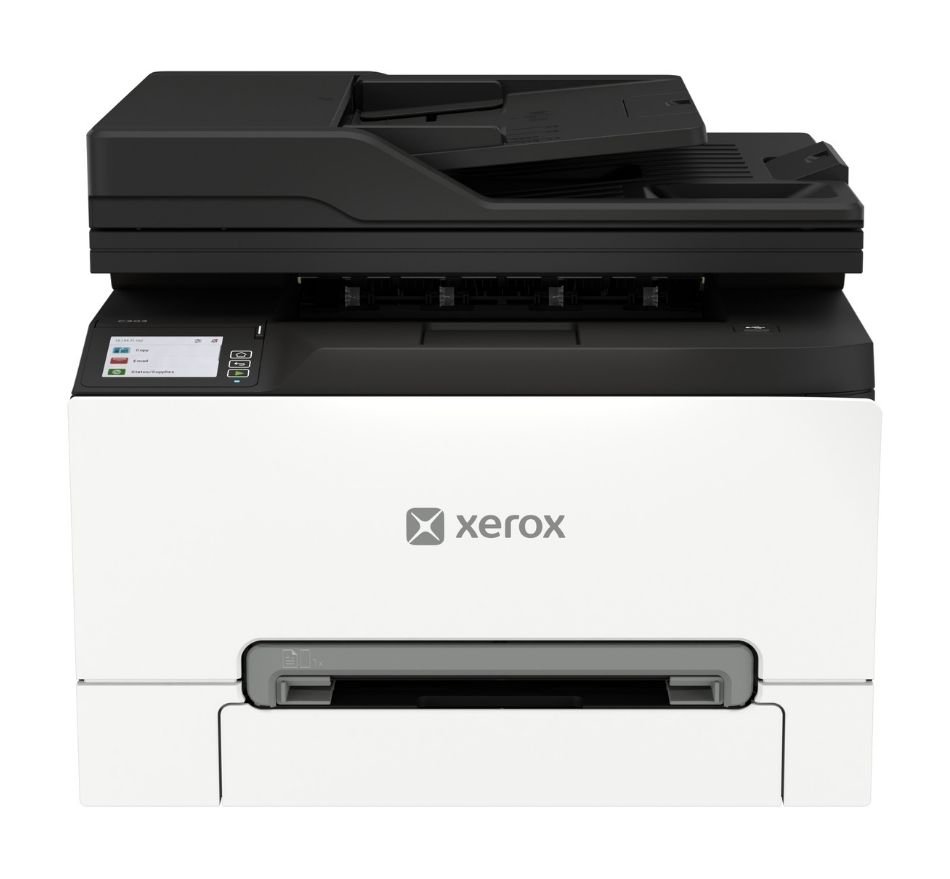
The Xerox C255a is a compact A4 color multifunction printer with print, copy, scan, and fax capabilities. It prints color and black-and-white documents at up to 26 pages per minute and is intended for small workgroups, branch locations, home offices, and hybrid workplaces.
The model includes a flatbed scanner and a 50-sheet automatic document feeder (ADF). With this feeder, users can scan or copy a stack of documents without placing every page on the scanner glass separately.
The C255 can support common office tasks such as printing reports, scanning paperwork to email, and copying letter and or legal-sized documents.
Xerox C255 Specifications
- Print speed: Up to 26 ppm letter and 25 ppm A4 in color and black-and-white
- Print resolution: 2400 × 600 dpi
- Recommended monthly print volume: Up to 2,500 pages
- Monthly duty cycle: Up to 50,000 pages
- Connectivity: High-speed USB 2.0, Gigabit Ethernet, Wi-Fi, Wi-Fi Direct, Apple AirPrint, and Mopria
- Dimensions: 2 × 15.7 × 13.6 inches (W × D × H)
- Weight: 43 pounds
Xerox C255a Key Features
Four Office Functions in a Compact Design
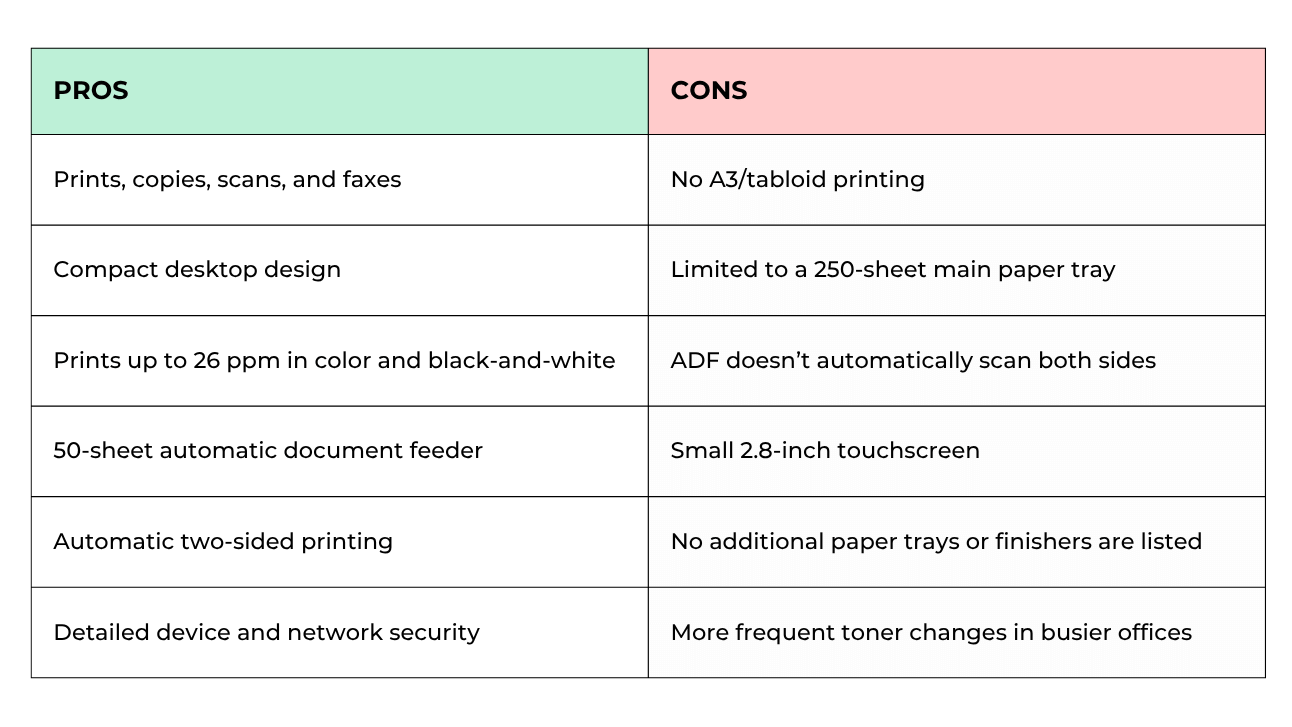
The biggest pro of the Xerox C255 is that it combines printing, copying, scanning, and faxing into one compact machine.
Its speed is also decent. At up to 26 pages per minute, the C255 is fast enough for routine small-office jobs.
With a print resolution of 2400 × 600 dpi, it can produce sharp text and professional-looking graphics for things like proposals, presentations, and reports.
For scanning and copying, the C255 includes a 50-sheet automatic document feeder that can scan up to 48 letter-size black-and-white pages or 21 color pages per minute.
However, the feeder scans only one side of an original at a time. This makes it less convenient for employees who regularly digitize two-sided documents.
Accessible Controls and Connected Workflows
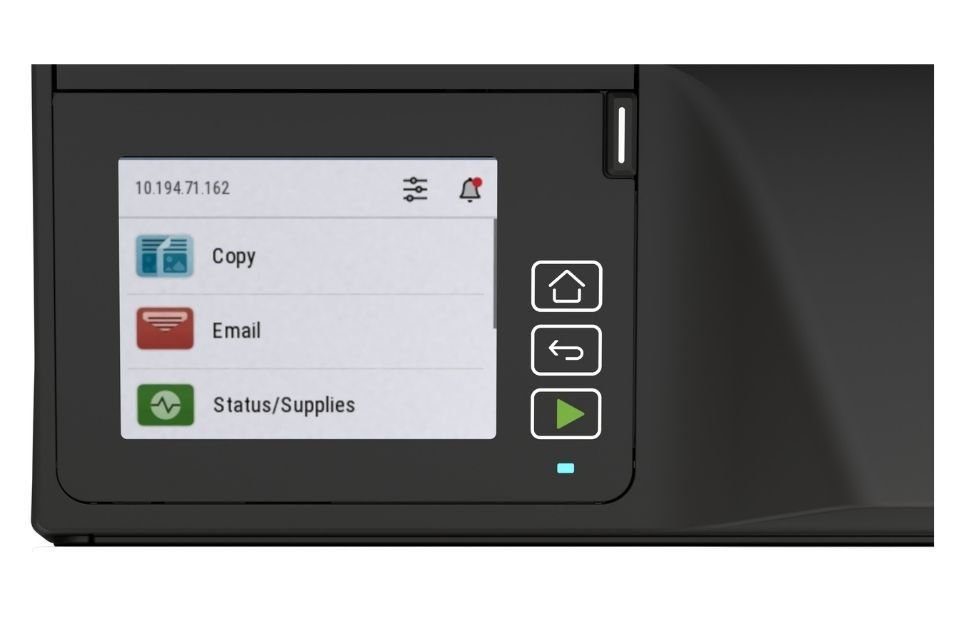
Despite its size, the C255’s 2.8-inch color touchscreen makes it easy for users to print, copy, scan, and fax.
The Xerox Easy Assist App helps users install, monitor, and manage the device through a phone or PC. From the app, users can also view supply information, manage administrative passwords, access support resources, and check the printer’s status.
The device also offers multiple wired, wireless, and mobile connections, including:
- Wi-Fi Direct
- Gigabit Ethernet
- High-speed USB
- Apple AirPrint
- Mopria Print and Scan Services
- Chromebook compatibility
Documents can be scanned to email, a USB drive, an FTP location, a network folder, or a connected computer. From the Xerox Print and Scan Experience App, you can scan and create searchable PDF files.
Plus, the optional Xerox Workflow Central Platform helps users convert, translate, summarize, redact, or otherwise process documents from a computer or phone.
Learn more about Xerox printer apps here.
Built-In Faxing for Offices That Still Need It
Faxing remains part of the workflow in industries such as healthcare, legal services, insurance, and finance. The C255 includes a 33.6 Kbps fax modem, so you don’t need a separate fax machine if your office still exchanges documents this way.
Available fax features include:
- Automatic answering and redialing
- Fax broadcasting
- Junk fax filtering
- A fax address book
- Automatic image reduction
- Fax forwarding
Incoming faxes can be forwarded to another fax number, email address, FTP destination, or network folder.
This means fewer faxed documents need to be printed, making them easier to route to the appropriate employee.
Security and More Sustainable Construction
The Xerox C255 includes security controls intended to protect the device, its data, and the network to which it connects.
Some security features included are:
- WPA3 wireless protection
- TLS 1.3 encryption
- Confidential Print
- Login restrictions
- Fax and network separation
- Audit logs
- Non-volatile memory wipe
Confidential Print can hold a document in the print queue until the user releases it. Fax and network separation adds another layer of protection by helping keep fax communications separate from network activity.
Offices without internal IT support may need help with certificates, access restrictions, logging, and security settings.
The C255 is also made with more than 50% post-consumer recycled plastic. It includes energy-saving modes, is ENERGY STAR certified, and is EPEAT registered. Used cartridges can be returned through the Xerox Cartridge Collection Program where the program is available.
Xerox C255a Pros and Cons
How Much Does the Xerox C255a Cost?
Currently, the Xerox C255 has a regular starting price of approximately $549. Printer prices can change, so businesses should verify the current cost before making a purchase.
The base price is only one part of the printer’s total ownership cost. Other expenses may include:
- Black and color toner cartridges
- Waste toner bottle replacements
- An optional stand or swivel cabinet
- Service or extended warranty coverage
- Shipping, installation, and applicable taxes
- Optional document workflow services
The C255 comes with starter cartridges rated for about 750 black pages and 500 pages per color. Businesses with higher color printing will likely have to order replacement toner sooner than expected after the initial installation.
Who Is the Xerox C255 Best For?
The Xerox C255a may be a good choice for:
- Small businesses that need print, copy, scan, and fax functions
- Healthcare, legal, insurance, or financial offices that still fax documents
- Home and hybrid offices
- Small departments and shared workspaces
- Branch and field locations
- Teams that regularly scan forms or customer records
- Workplaces with limited room for office equipment
- Businesses printing approximately 2,500 pages per month or fewer
The Xerox C255a may not be the right fit for:
- Offices that have completely eliminated faxing
- Teams that frequently scan two-sided originals
- High-volume departments
- Businesses that need A3 or 11 × 17-inch output
- Offices requiring several paper sources
- Organizations that need stapling or other finishing options
- Workgroups that expect their printing volume to grow significantly
- Businesses that primarily print black-and-white documents
If your office will not use its fax capabilities, a less expensive multifunction printer may offer nearly the same day-to-day experience.
Is the Xerox C255a Worth Buying?
The Xerox C255a is worth considering if you need a compact machine for your small office that can print, copy, scan, and fax.
Keep in mind some cons: its single-sided ADF, the 250-sheet tray, and its 2,500-page monthly limit aren't suitable for a demanding department.
However, if you need faster speeds, automatic two-sided scanning, higher paper capacity, or more advanced apps, a larger Xerox VersaLink model will likely provide more room to grow.
Check out our reviews of the other similar models in the C-Series:
FAQ
What functions does the Xerox C255a include?
The Xerox C255a can print, copy, scan, and fax. It supports color and black-and-white output, mobile printing, network scanning, and automatic two-sided printing.
Does the Xerox C255a scan both sides automatically?
No. The C255a has a 50-sheet automatic document feeder, but the feeder scans one side of an original at a time. Users must manually turn over two-sided documents.
Can the Xerox C255a print 11 × 17-inch paper?
No. The C255a supports paper sizes up to 8.5 × 14 inches. It cannot print A3 or 11 × 17-inch documents.
Does the Xerox C255a have Wi-Fi?
Yes. The C255a includes standard Wi-Fi and Wi-Fi Direct. It also supports Gigabit Ethernet, USB, Apple AirPrint, and Mopria.
How many pages can the Xerox C255a print each month?
Up to 2,500 pages a month. The maximum monthly duty cycle is 50,000 pages, but that amount shouldn’t be treated as a regular monthly target.
Choose a Printer That Matches Your Workflow
The Xerox C255a can be a good choice for small teams that work with color documents, scan paperwork regularly, and still depend on fax communication.
However, be sure that your office will actually benefit from every feature the C255 has to offer.
Before deciding, compare the C255a with printers that match your actual monthly volume, required functions, paper sizes, and future plans. Our Product Configurator can help you narrow down Xerox models by specifications and see which options align with your workplace.
If you need additional guidance, contact our team. We can help you compare the C255a with similar devices and determine which printer offers the right balance of cost, capacity, and functionality.
