Skip to main content


When a printer starts jamming every other day or takes twice as long to finish a print job, it could be that your printer is simply getting old.
While replacing office equipment isn't something businesses plan to do often, holding onto a printer for too long can cost more than replacing it.
The thing is, there isn't a single lifespan that applies to every single printer. A home inkjet printer used a few times each month is different than a business MFP producing thousands of pages every week. The way a printer is used, maintained, and even the environment it's kept in all affect how long a printer will last.
At Strategic Technology Partners of Texas (STPT), we've serviced thousands of printers from organizations of every size. One thing we've learned is that a printer's age tells only part of the story. We've seen well-maintained office printers last longer than many people expect, while newer printers fail early because they're being pushed beyond what they were designed to handle.
In this guide, we'll explain how long printers typically last, what factors have the biggest impact on their lifespan, how to recognize the warning signs of an aging printer, and what you can do to keep your printer running reliably for as long as possible.
Table of Contents
- How Long Do Printers Last?
- A Look at Different Printer Lifespans
- What Determines How Long a Printer Lasts?
- How Do You Know When Your Printer Is Dying?
- Is It Worth Repairing an Old Printer?
- How Can You Make Your Printer Last Longer?
- How Often Should You Replace a Printer?
- Should You Upgrade Even If Your Printer Still Works?
- FAQ
How Long Do Printers Last?
Most printers last between 3 and 10 years, depending on the type of printer, how much it's used, how well it's maintained, and whether it's operating within its recommended monthly print volume.
For example, a home inkjet printer that’s used occasionally can last around 2 to 5 years. Meanwhile, a business laser printer or MFP that's properly maintained can remain productive for 5 to 10 years or more. Production printers designed for high-volume environments may last even longer when they're serviced regularly.
Ultimately, a printer's lifespan is determined by factors like monthly print volume, maintenance habits, operating conditions, and the availability of replacement parts.
A Look at Different Printer Lifespans
If you're just looking for a general idea of how long different types of printers typically last, here's a quick overview.
- Home inkjet printers: approximately 2–5 years
- Business inkjet printers: approximately 3–6 years
- Laser printers: approximately 5–7 years
- Business MFPs: approximately 5–7+ years
- Production printers: approximately 5–10 years with proper maintenance
But these are just average ranges. Some printers exceed these expectations, while others wear out sooner depending on how they're used.
One of the biggest misconceptions we hear is that a printer should automatically be replaced after five years. In reality, we've worked with customers whose business printers are still performing reliably after five years because they were properly maintained and matched to the right print volume from the beginning.
What Determines How Long a Printer Lasts?
While manufacturers design printers with an expected service life, how long a printer actually lasts depends on several factors working together.
Understanding these factors can help you avoid premature failures and get the most value from your investment.
Monthly Print Volume Matters More Than Age
One of the biggest factors affecting printer lifespan is how much you print.
Every printer is designed with a recommended monthly print volume, sometimes called its recommended monthly page volume. This is the number of pages the manufacturer expects the printer to produce on a regular basis for optimal performance.
A printer that consistently exceeds its recommended workload experiences more wear on critical components like rollers, fusers, drums, and motors. Over time, this extra stress shortens the printer's lifespan.
For example: A printer designed for 2,000 pages per month won't last as long if it's regularly printing 8,000 pages every month.
This is one reason businesses often outgrow desktop printers: they were never designed to support the organization's growing print demands.
Related reading: Duty Cycle vs. Recommended Print Volume: What’s the Difference?
Printer Quality and Build Matter
Not all printers are built for the same purpose.
A low-cost home printer is designed for occasional personal use while business printers are engineered with heavier-duty components that can handle much higher workloads.
For example, many office MFPs include:
- More durable paper feed systems
- Higher-capacity consumables
- Stronger internal components
- Larger monthly duty cycles
This is one reason business printers often remain in service much longer than consumer models sold in retail.
Related Reading: 5 Features of a High-Quality Printer
Maintenance Plays a Bigger Role Than Most People Think
Routine maintenance is one of the easiest ways to extend a printer's lifespan.
Dust buildup, worn rollers, clogged printheads, outdated firmware, and neglected consumables can all reduce performance over time. Addressing small issues early often prevents larger, more expensive repairs later.
Regular maintenance helps:
- Maintain consistent print quality
- Reduce unexpected breakdowns
- Protect internal components
- Extend the life of wear items
- Keep downtime to a minimum
We've written a few guides that can help you keep your printer in excellent condition, including:
Your Office Environment Makes a Difference
If your printer is kept in a place with excessive dust, heat, humidity, and poor ventilation, it’s likely to wear prematurely.
Keeping your printer in a clean, climate-controlled environment helps reduce unnecessary wear while improving overall reliability.
Learn more about the ideal conditions for keeping your printer here.
Replacement Parts and Manufacturer Support
Eventually, every printer reaches a point where maintaining it becomes more difficult.
Even if the printer still works, manufacturers may stop producing replacement parts or discontinue firmware updates. This makes repairs more expensive and sometimes impossible.
Consult your manufacturer to confirm your printer’s assured service availability, which includes service, parts, supplies, and firmware updates.
Knowing this is crucial for businesses with sensitive data, as older printers lack security updates and are more vulnerable to cybersecurity risks.
How Do You Know When Your Printer Is Dying?
A printer nearing the end of its life often shows consistent warning signs such as frequent paper jams, declining print quality, recurring service calls, increasing repair costs, or discontinued manufacturer support. While one issue alone doesn't necessarily mean it's time for a replacement, several problems happening together usually indicate that your printer is nearing the end of its useful life.
If you're spending more time troubleshooting your printer than actually using it, it's worth taking a closer look.
Here are some of the most common signs we see.
- Frequent Paper Jams and Breakdowns: Regular jams often indicate worn internal parts like feed rollers or paper transport mechanisms.
- Declining Print Quality: This can indicate that larger components such as the drum, transfer belt, or printhead are reaching the end of their service life.
- Repair Costs Continue to Increase: If repair costs about half of replacement, consider whether a new printer offers better long-term value.
- Your Printer Can No Longer Keep Up: The printer itself may still function, but it's working much harder than it was ever designed to.
- Manufacturer Support Has Ended: When this happens, replacement parts are harder to find, firmware updates stop, and security risks may no longer be addressed.
What STPT Looks at Before Recommending a Replacement
When we evaluate if a printer needs replacement, we typically look at several factors together:
- How old is the printer?
- How many pages has it printed?
- Is it exceeding its recommended workload?
- How often has it required repairs recently?
- Are replacement parts still readily available?
- Does it still meet your business's current printing needs?
Looking at the complete picture helps determine whether repairing the printer is the smarter investment or whether upgrading will save money and reduce downtime over the long run.
Is It Worth Repairing an Old Printer?
It depends. If your printer still meets your needs and the repair is relatively inexpensive, repairing it is often the more cost-effective option. However, if repairs are happening more often, parts are difficult to find, or the printer no longer supports your business's workload, replacing it may be the better long-term investment.
There's no universal age when every printer should be replaced.
Instead, think about the overall cost of ownership.
A repair that keeps a dependable printer running for several more years can be money well spent. But if you’re constantly fixing an aging printer that struggles to keep up with daily demands, it often ends up costing more than upgrading.
Repair Your Printer If...
- The printer has been reliable overall.
- The repair is relatively inexpensive.
- Replacement parts are readily available.
- The printer still meets your print volume and workflow needs.
- The device continues to receive manufacturer support.
Consider Replacing Your Printer If...
- The printer needs frequent repairs.
- Repair costs continue to increase.
- Replacement parts have become difficult to source.
- The printer no longer receives firmware or security updates.
- Your business has outgrown its speed or monthly print capacity.
- Employees regularly experience downtime waiting on the printer.
How Can You Make Your Printer Last Longer?
The best way to extend your printer's lifespan is to use it within its recommended monthly print volume, perform regular maintenance, keep it in the right environment, and address small issues before they become major repairs. A well-maintained printer can often remain reliable for years longer than one that's neglected.
While every printer will eventually reach the end of its life, there are several things you can do to help it stay reliable for as long as possible.
- Choose a Printer That Matches Your Print Volume
- Stay on Top of Routine Maintenance
- Keep Your Printer in the Right Environment
- Use Quality Supplies
Learn More: 8 Tips to Increase the Lifespan of Your Printer
How Often Should You Replace a Printer?
Many businesses replace their printer after five or seven years.
However, some business printers remain efficient much longer, while others stop meeting organizational needs.
It’s important to evaluate your printers’ reliability, repair costs, security, manufacturer support, and whether it still meets your business's current printing needs.
Should You Upgrade Even If Your Printer Still Works?
Even if a printer still works well, it can still quietly cost your organization time and money.
As newer and more efficient printers come out, older models can lack:
- Modern security features
- Cloud printing capabilities
- Mobile printing support
- Workflow automation
- Faster print speeds
- Better energy efficiency
Upgrading your printer can give your employees better tools to work more efficiently.
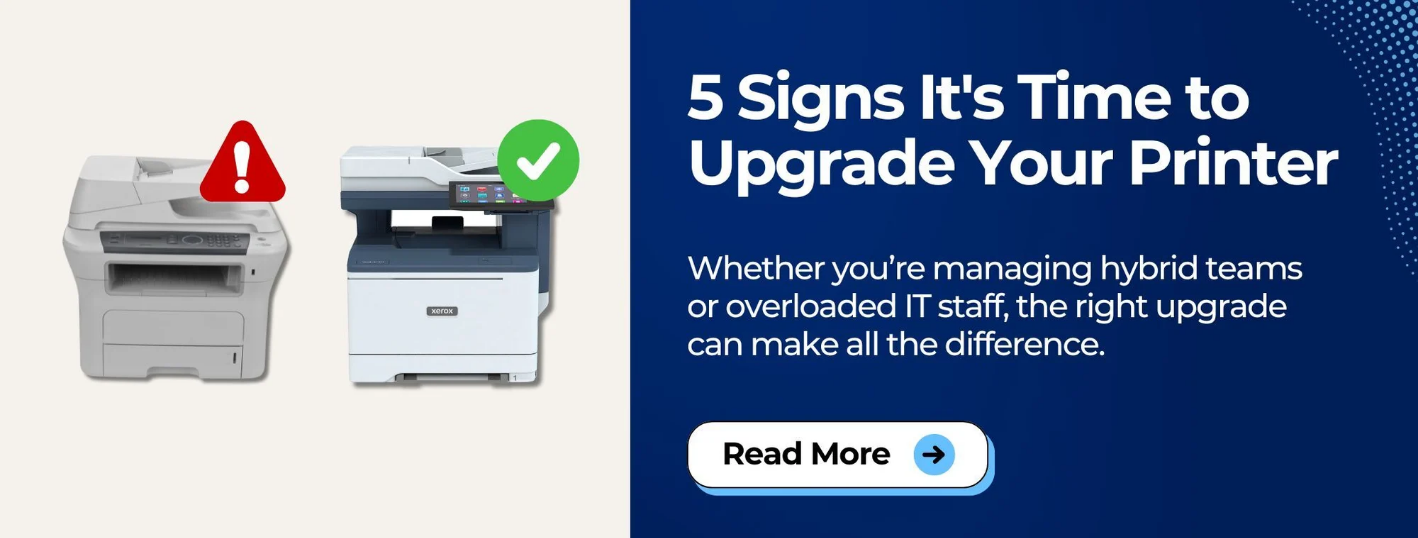
Learn more: 5 Signs it’s Time to Upgrade Your Printer
Key Takeaways
- Most printers last 3–10 years, depending on type and usage.
- Print volume has a greater impact on lifespan than age alone.
- Routine maintenance helps extend printer life and reduce downtime.
- Frequent repairs, outdated security, and poor performance are signs it may be time to upgrade.
- Choosing the right printer for your workload is one of the best ways to maximize its lifespan.
FAQ
How often should you replace a printer?
There's no set replacement schedule. Instead, evaluate your printer based on its reliability, repair costs, security updates, and whether it still meets your business's printing needs.
Is a 10-year-old printer still good?
Yes, it can be. A well-maintained business printer may still perform reliably after 10 years. However, check that replacement parts and security updates are still available before deciding to keep it.
How do you know when your printer is dying?
Frequent paper jams, declining print quality, repeated repairs, slow performance, and discontinued manufacturer support are common signs that your printer may be nearing the end of its lifespan.
Is it worth repairing an old printer?
It depends on the repair cost and the printer's condition. If the repair is affordable and the printer still meets your needs, repairing it can be worthwhile. If repairs are becoming frequent or expensive, replacing it is often the better long-term investment.
Do printers go bad if they aren't used?
Yes. Inkjet printers are especially prone to clogged printheads if left unused for long periods. Printing a few pages regularly and following routine maintenance recommendations can help keep the printer in good working condition.
Wondering If It's Time to Upgrade?
Most printers last somewhere between 3 and 10 years. But ultimately it matters more if your printer still supports your business reliably, efficiently, and securely
It’s best to evaluate the complete picture instead of just your printer’s age.
Need to know if your printer is showing signs that it's nearing the end of its useful life?
We've put together a guide that walks through the most common warning signs businesses should watch for, including frequent breakdowns, rising repair costs, declining performance, and outdated technology.
You'll learn how to recognize the warning signs early so you can plan ahead instead of waiting for an unexpected breakdown to disrupt your business.