 Skip to main content

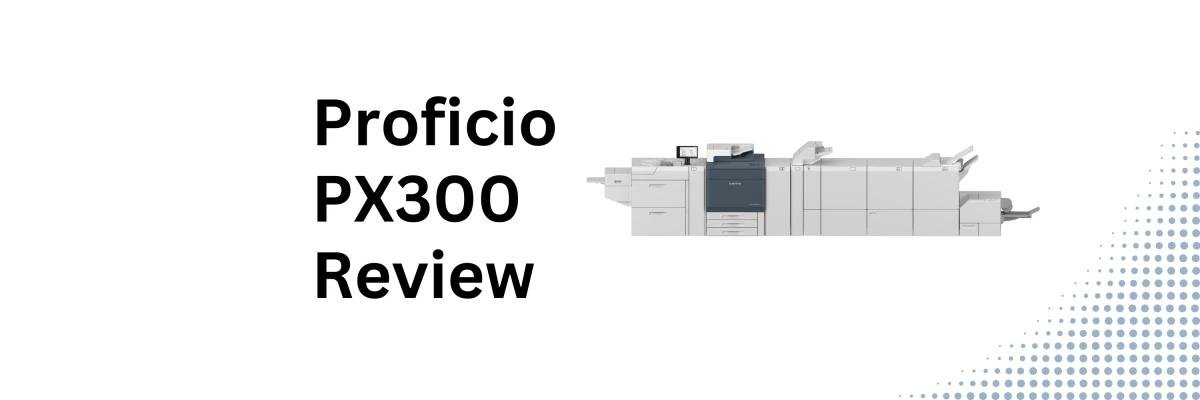
For years, the Xerox Versant line has been one of the most recognizable names in light production print. Many print shops, franchises, in-plants, and marketing departments have built their workflows around machines like the Versant 180 and Versant 280 because they offered an appealing mix of quality, versatility, and affordability.
Now Xerox has introduced something new.
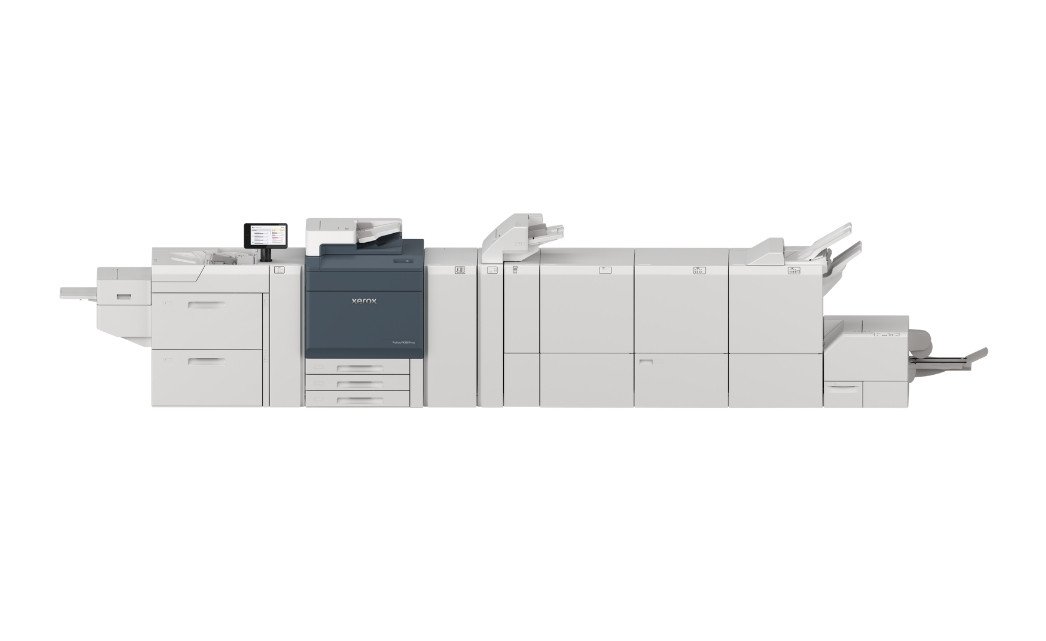
The Xerox Proficio PX300 is one of the first devices in Xerox's new Proficio production press family, a platform designed to help print providers produce higher-quality work with less manual intervention, greater media flexibility, and more workflow automation.
Naturally, that raises an important question:
Is the Xerox Proficio PX300 actually a worthwhile upgrade, or is it simply a new name replacing a familiar machine?
At Strategic Technology Partners of Texas (STPT), we've spent nearly 40 years helping organizations evaluate production print equipment. While we primarily sell Xerox devices, our goal is to provide honest, practical reviews that help buyers understand both the strengths and limitations of a machine before making a significant investment.
In this review, we'll take a detailed look at the Xerox Proficio PX300's features, performance, media capabilities, workflow tools, pros and cons, pricing considerations, and the types of organizations that will benefit most from it.
Check out our review of the Xerox Proficio PX500 here.
Table of Contents
- Is the Xerox Proficio PX300 Worth Considering?
- What Is the Xerox Proficio PX300?
- Xerox Proficio PX300 Basic Specs
- Xerox Proficio PX300 Key Features
- HD EA Toner and Image Quality
- 85 ppm Production Speed
- Media Flexibility
- Optional Fifth Color Station
- Automated Quality Control
- Flexible Print Server Options
- Feeding and Finishing Options
- How Much Does the Xerox Proficio PX300 Cost?
- Who Should Buy the Xerox Proficio PX300?
- Is the Proficio PX300 Worth It?
- FAQ
Short Answer: Is the Xerox Proficio PX300 Worth Considering?
The Xerox Proficio PX300 is an 85-page-per-minute production press built for print shops, franchises, in-plants, and commercial printers that need professional image quality, advanced automation, extensive media flexibility, and optional fifth-color capabilities. Its biggest strengths are consistent output quality, simplified color management, broad substrate support, and workflow tools that help operators produce professional results more efficiently.
If your operation regularly produces brochures, direct mail pieces, booklets, marketing materials, specialty media applications, or personalized print campaigns, the PX300 deserves serious consideration.
What Is the Xerox Proficio PX300?
The Xerox Proficio PX300 is a color production press designed to bridge the gap between traditional light production systems and higher-end commercial production equipment.
As one of the first devices in Xerox's new Proficio production family, the PX300 introduces several technologies focused on improving three areas that matter most to modern print providers:
- Productivity
- Color consistency
- Media versatility
Rather than targeting large commercial print facilities alone, Xerox specifically positions the PX300 for agile print environments such as:
- Small commercial print shops
- Franchise print centers
- Corporate in-plants
- Marketing service providers
- Quick printers
- Specialty print providers
These environments often produce a wide variety of jobs every day, including brochures, direct mail, business cards, envelopes, personalized campaigns, booklets, and marketing collateral.
The PX300 is designed to handle that variety without requiring operators to constantly stop production for manual adjustments or extensive setup.
Xerox Proficio PX300 Basic Specs
Here are the key specifications for the Xerox Proficio PX300:
- Print Speed: Up to 85 ppm
- Average Monthly Print Volume: 25,000–150,000 pages
- Maximum Duty Cycle: Up to 750,000 pages
- Print Resolution: 2400 x 2400 dpi
- Toner Technology: HD EA Toner
- Maximum Media Weight: Up to 400 gsm
- Maximum Sheet Length: Up to 51.2 inches
- Registration Accuracy: ±0.5 mm
- Fifth Color Capability: Optional (CMYK+)
- Print Server Options: EX-Li or EX Fiery
- Scanner: Duplex scanner standard
Xerox Proficio PX300 Key Features
HD EA Toner Delivers Professional Image Quality
Image quality is one of the most important factors in production print, and Xerox has built the PX300 around its latest generation of High Definition Emulsion Aggregate (HD EA) Toner.
This toner technology produces:
- Rich, vibrant colors
- Smooth gradients
- Sharp fine text
- Strong solid fills
- Offset-like appearance
This becomes particularly noticeable on marketing materials, brochures, catalogs, postcards, and customer-facing pieces where image quality directly impacts how a brand is perceived.
For organizations moving up from office equipment or older production devices, the difference can be immediately noticeable.
85 ppm Production Speed Keeps Jobs Moving
The PX300 delivers print speeds of up to 85 pages per minute while supporting approved media weights up to 400 gsm without sacrificing productivity.
This speed allows operators to move between jobs quickly without much downtime.
Common applications include:
- Business cards
- Flyers
- Brochures
- Direct mail pieces
- Catalogs
- Training manuals
- Marketing collateral
- Personalized campaigns
The machine is well-suited for organizations that produce many short-run jobs throughout the day rather than a handful of extremely long runs.
Extensive Media Flexibility Expands Opportunities
One of the biggest strengths of the PX300 is its media flexibility.
The press supports a wide range of substrates, including:
- Coated stocks
- Uncoated stocks
- Textured papers
- Heavy media up to 400 gsm
- Envelopes
- Polyester stocks
- Magnetics
- Long-sheet applications
This flexibility allows print providers to accept a wide range of customer requests without needing to outsource specialty work.
For example, a shop can print premium brochures, personalized direct mail, and long-sheet banners all on the same machine.
Optional Fifth Color Station Adds Specialty Print Capabilities
If your organization is looking to go beyond traditional CMYK printing, the PX300 offers an optional fifth color station, AKA the Beyond CMYK+ 5th Color Overlay Station.
Available specialty dry inks include:
- Clear
- Low Gloss Clear
- Fluorescent Pink
These specialty colors allow printers to create:
- Eye-catching embellishments
- Highlight effects
- Premium marketing pieces
- Expanded color gamuts
- Specialty applications
Fluorescent Pink, in particular, expands achievable color ranges while creating vibrant colors that traditional CMYK can’t always reproduce accurately.
Automated Quality Control Reduces Waste and Manual Adjustments
One of the key improvements in modern production equipment is automation.
The PX300 includes several technologies to help reduce operator intervention while maintaining output consistency.
Here are some optional automation tools:
- Quality Control Module
- Automated density adjustments
- Registration correction
- Alignment optimization
- Real-time monitoring systems
These tools continuously monitor print quality and automatically make corrections when needed.
Instead of having operators constantly stop production and manually check color consistency, the system helps maintain quality throughout the print run.
Flexible Print Server Options
The Xerox Proficio PX300 offers three controller options:
- Standard Integrated Color Server
- Xerox EX-Li PX300 Print Server Powered by Fiery
- Xerox EX PX300 Print Server Powered by Fiery.
The integrated server is suitable for many everyday production environments, while the Fiery options add enhanced color management, workflow automation, and production tools for organizations with more demanding print requirements.
Feeding and Finishing Options
The PX300 offers an extensive ecosystem of feeding and finishing accessories.
Available options include:
Feeding Options
- High-capacity feeders
- Vacuum feeders
- Oversized sheet feeders
- Long-sheet feeding systems
Finishing Options
- Business Ready Finisher
- Booklet Finisher
- Production Ready Finisher
- High-Capacity Stacker
- SquareFold Trimmer
- Creasing modules
- Punching systems
- Inserters
- C/Z Folder
This flexibility allows organizations to configure the system around their specific workflow requirements.
How Much Does the Xerox Proficio PX300 Cost?
As with most production presses, pricing will depend heavily on the final configuration you choose. You might opt for a Fiery print server, finishing options, or workflow software.
Because production environments vary widely, most buyers get customized quotes instead of standardized pricing.
When evaluating cost, it's important to consider the total cost of ownership expenses rather than just the initial price.
This includes:
- Supplies
- Service
- Productivity gains
- Labor savings
- Reduced outsourcing costs
- New revenue opportunities
For many organizations, those factors have a greater long-term impact than the purchase price alone.
Who Should Buy the Xerox Proficio PX300?
Best For
- Commercial print shops
- Franchise print centers
- Corporate in-plants
- Marketing service providers
- Quick printers
- Direct mail operations
- Specialty print providers
Not Ideal For
- General office printing
- Low-volume environments
- Organizations with minimal color requirements
- Businesses producing only occasional production jobs
FAQ
Is the Xerox Proficio PX300 replacing the Versant 280?
While Xerox has not explicitly positioned the PX300 as a direct replacement in every situation, it occupies a similar market segment and introduces many of the technologies buyers would expect in a next-generation successor to the Versant 280.
How fast is the Xerox Proficio PX300?
The PX300 prints at speeds of up to 85 pages per minute and supports monthly volumes ranging from approximately 25,000 to 150,000 pages.
What specialty colors are available on the PX300?
The optional fifth color station supports Clear, Low Gloss Clear, and Fluorescent Pink specialty dry inks.
What media can the Xerox Proficio PX300 print on?
The PX300 supports a wide variety of media, including coated stocks, uncoated stocks, textured papers, envelopes, polyester materials, magnetics, and media weights up to 400 gsm.
Which Fiery print server should I choose for the PX300?
The EX-Li controller is ideal for standard production workflows, while the EX controller is better suited for advanced production environments that require variable data printing, enhanced automation, and more sophisticated workflow management.
Is the Xerox Proficio PX300 Worth It?
The Xerox Proficio PX300 introduces key improvements in automation, media flexibility, workflow efficiency, and specialty print capabilities that address many of the challenges modern print providers face today.
Its combination of HD EA toner, extensive substrate support, fifth-color options, Fiery workflow tools, and automated quality controls makes it a strong option for print shops and in-plants looking to improve both productivity and output quality.
That said, no production press is perfect for every organization. Smaller operations with small volumes may not need everything the PX300 offers. The best value will likely come from organizations producing a wide variety of color applications and looking to reduce manual intervention while expanding their service offerings.
If you're still evaluating production equipment, your next step should be comparing the PX300 against other options in the Xerox production portfolio to determine which platform best aligns with your workload, growth plans, and budget.
Related Reading: Which Xerox Production Printer Is Right for Your Business?
Or, if you'd like help evaluating whether the Xerox Proficio PX300 is the right replacement for your current production printer, contact our team at STPT for a personalized consultation.
