 Skip to main content

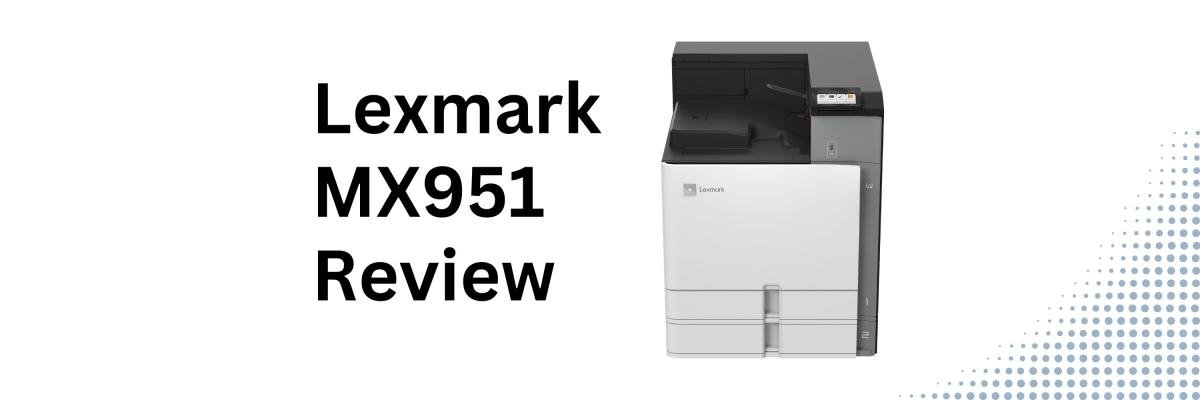
When businesses and organizations start shopping for a new multifunction printer, it's easy to assume that faster always means better.
But that's not always true.
Many organizations don't need the fastest machine on the market—they need one that's dependable, easy to manage, and capable of keeping up with everyday document workflows without adding unnecessary cost. For departments that print primarily in black and white, the right balance of performance, scanning, and reliability often matters more than having the highest page-per-minute rating.
That's where the Xerox/Lexmark MX951se comes in.
As one of the newest additions to the Xerox-Lexmark 9-Series, the MX951se is designed for large workgroups that need an A3 monochrome multifunction printer with strong scanning capabilities, enterprise security, and flexible media handling—all while keeping operation and maintenance refreshingly simple. The 9-Series has three core principles: Versatility, Simplicity, and Sustainability, a philosophy reflected throughout the MX951se's design.
As a Xerox and now Lexmark partner with nearly 40 years of experience helping businesses choose office technology, our goal is to provide an objective look at where this device excels, where it may not be the best fit, and who should consider it.
In this review, we'll cover the MX951se's key features, strengths, tradeoffs, pricing considerations, and the types of organizations that can benefit most from it.
Check out our review of the Xerox MX953 here.
Table of Contents
- Short Answer: Is the Xerox-Lexmark MX951se Worth Considering?
- What Is the Lexmark MX951se?
- Lexmark MX951se Basics
- Key Features
- Pros and Cons
- How Much Does the MX951se Cost?
- Who Should Buy the MX951se?
- Is the MX951 Worth It?
- FAQ
Short Answer: Is the Xerox-Lexmark MX951se Worth Considering?
The Xerox-Lexmark MX951se is a 35 ppm monochrome A3 multifunction printer designed for organizations that need reliable black-and-white printing, fast duplex scanning, enterprise security, and flexible paper handling without paying for performance they don't need. Its biggest strengths are its ease of use, workflow capabilities, and simplified maintenance.
What Is the Xerox-Lexmark MX951se?
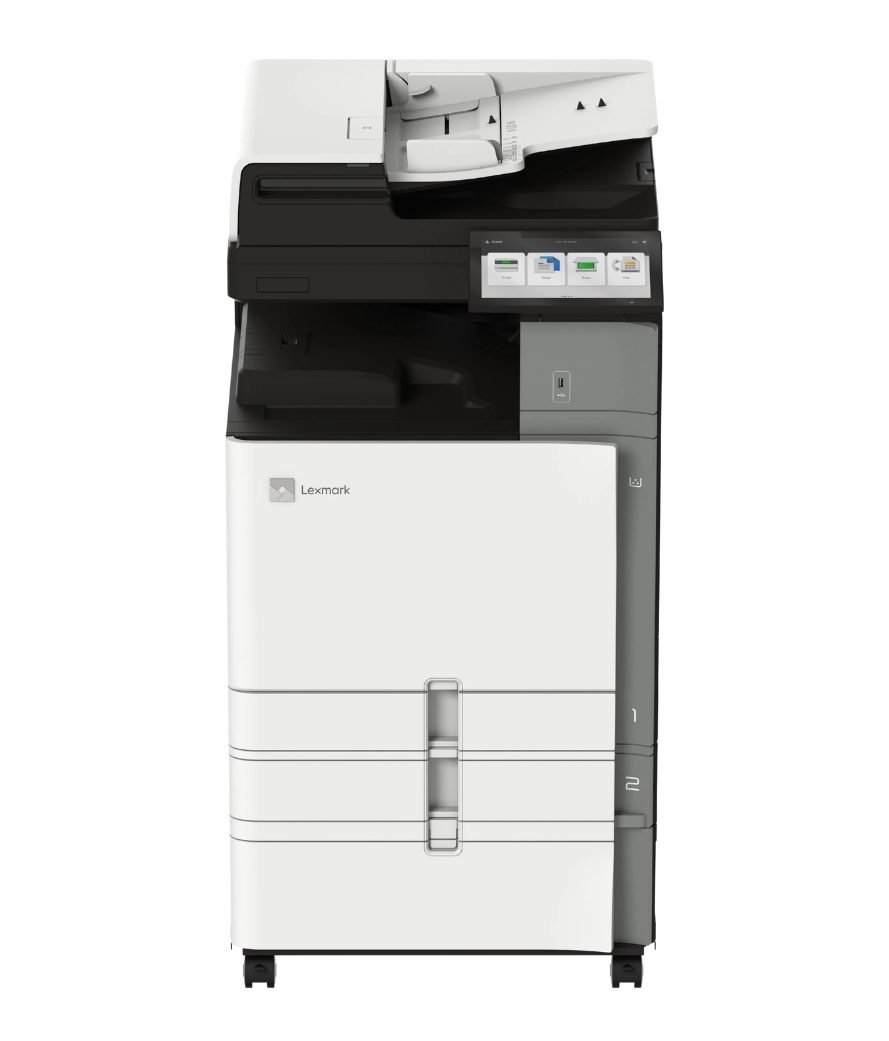
The Xerox-Lexmark MX951se is a monochrome A3 multifunction printer built for large workgroups that need dependable document production, high-speed scanning, and advanced workflow capabilities.
With print speeds of up to 35 pages per minute, single-pass duplex scanning, and support for media sizes up to SRA3 and 12 × 18 inches, it gives organizations the flexibility to handle everything from everyday office documents to oversized reports and presentations.
It's particularly well suited for organizations that produce high volumes of black-and-white documents but don't necessarily require the speed of flagship models like the MX953se.
Xerox-Lexmark MX951se Basics
- Print speed: Up to 35 ppm black-and-white
- Monthly Duty Cycle: Up to 150,000 pages
- Recommended Monthly Print Volume: 7,000–50,000 pages
- Scan speed: Up to 200 ipm duplex
- Paper capacity: Up to 4,750 sheets
- ADF: 200-sheet single-pass duplex feeder
- Display: 10.1-inch Lexmark e-Task touchscreen
- Print Resolution: 1200 × 1200 dpi
- Media support: Up to SRA3 and 12 × 18"
- Base Model Weight: 162.5 lb.
These specifications position the MX951se as a strong mid-range A3 monochrome MFP for organizations that need robust document handling without stepping up to higher-speed enterprise models.
Xerox-Lexmark MX951se Key Features
Fast Duplex Scanning for Document-Heavy Offices
While its print speed is designed for moderate-to-high office volumes, the MX951se doesn't compromise on scanning.
Its 200-sheet single-pass duplex automatic document feeder can scan at speeds of up to 200 images per minute, making it well suited for organizations that regularly digitize contracts, invoices, student records, HR paperwork, or healthcare documents.
The scanner also supports searchable PDFs, DOCX files, secure PDFs, and multiple scan destinations, helping simplify document management and digital workflows.
Simple by Design: Easy Workflows and Easy Maintenance
One of the biggest themes throughout the Xerox-Lexmark 9-Series is simplicity, and the MX951se reflects that philosophy well.
The 10-inch Xerox-Lexmark e-Task touchscreen makes it easy to print, copy, scan, and access workflow shortcuts.
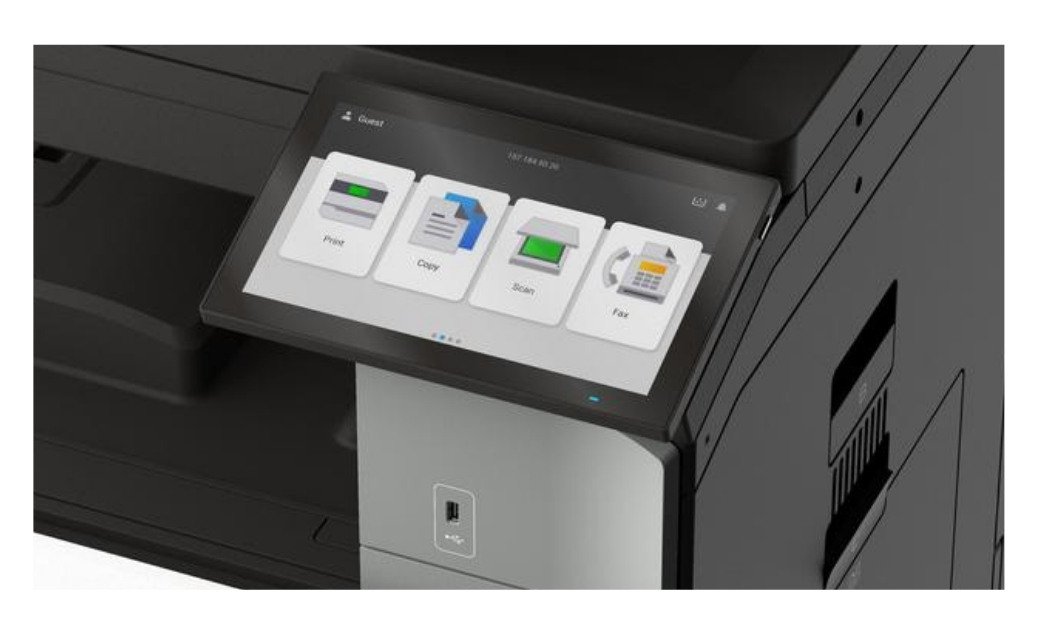
The MX951se also supports:
- Xerox-Lexmark eSF apps for document routing and workflow automation
- Xerox ConnectKey Apps for Lexmark devices
- Xerox Workflow Central for document conversion, translation, cloud connectivity, and other productivity workflows.
Maintenance is also made easier for both users and IT staff with features like:
- One-handed toner replacement
- Firmware toner lock
- Straightforward maintenance alerts
- Long-life consumables
Flexible A3 Paper Handling and Finishing
The MX951se supports media sizes up to SRA3 and 12 × 18 inches. This means organizations can produce oversized spreadsheets, architectural drawings, reports, manuals, and presentations without outsourcing.
It’s also possible to configure the device for many different business workflows. The MX951 offers several optional finishing capabilities such as:
- Stapling
- Hole punching
- Booklet finishing
- Folding
- Offset stacking
Security Designed for Modern Businesses
Security is another area where the MX951se stands out.
Like the rest of the Xerox-Lexmark portfolio, it follows a Secure by Design framework. This means security is purposefully built into the hardware, firmware, software, and network architecture.
The MX951se includes enterprise-grade features such as:
- Trusted Platform Module (TPM)
- Secure Boot
- Firmware validation
- Certificate management
- IPsec support
- Authentication and authorization controls
- Encryption and secure storage
These features allow organizations to protect sensitive documents and support modern IT security policies.
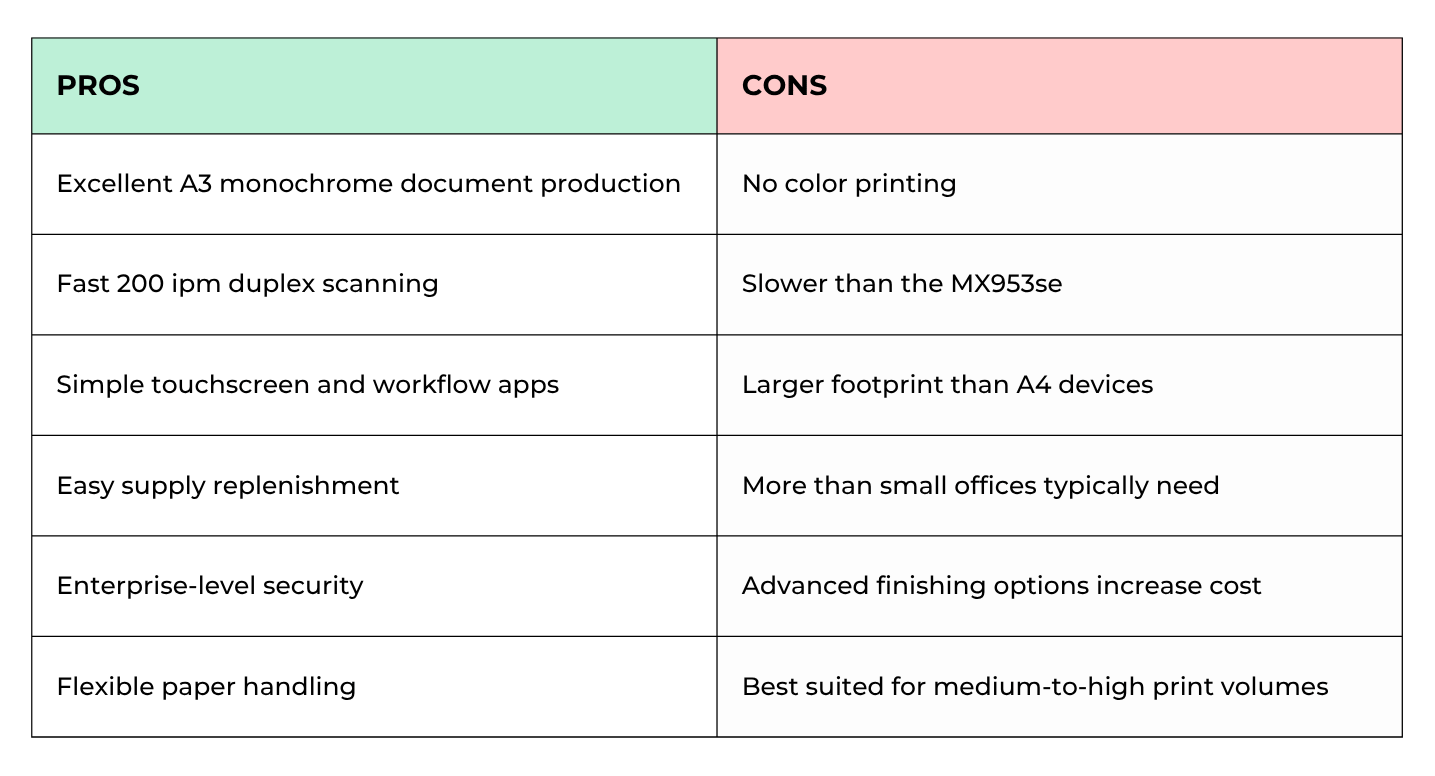
Lexmark MX951se Pros and Cons
How Much Does the MX951se Cost?
Like most enterprise multifunction printers, the MX951se is configurable. This means the final price will depend on factors such as:
- Paper trays
- Finishers
- Workflow software
- Print management solutions
- Installation
- Service agreements
Organizations should evaluate the total cost of ownership instead of the basic starting price to determine the long-term cost of their printer.
Who Should Buy the MX951se?
Best Fit
- Legal offices
- Schools and universities
- Healthcare administration
- Finance departments
- Government agencies
- Businesses with moderate-to-high monochrome print volumes
Probably Not Ideal
- Organizations that regularly print in color
- Marketing departments
- Small offices with low monthly print volumes
- Businesses that don't require A3 printing
Is the Lexmark MX951se Worth It?
The Lexmark delivers the large-format capability, enterprise security, and workflow features many organizations need without requiring the higher print speeds of flagship models.
It offers a simple user experience, fast duplex scanning, flexible media handling, and a user-friendly design. This mode is perfect for organizations whose document workflows revolve around black-and-white printing.
FAQ
Is the Lexmark MX951se a color printer?
No. The MX951se is a monochrome (black-and-white) A3 multifunction printer.
How fast is the MX951se?
It prints at up to 35 ppm and scans at up to 200 images per minute using its single-pass duplex document feeder.
Who is the MX951se best for?
It's best for organizations that need A3 monochrome printing, fast scanning, and enterprise workflow capabilities, but don't require the higher speeds of the MX953se.
See If the MX951se Suits Your Workflow
If your organization is comparing A3 multifunction printers, remember that the best device should support your daily workflows, print volume, and long-term goals.
To help narrow down your options, try our Product Configurator, where you can compare the MX951se alongside other Lexmark 9-Series and Xerox AltaLink models, review specifications side by side, and find the device that best fits your needs.
If you'd like personalized guidance, request a quote or contact our team, and we'll help you identify the right solution based on your print environment, workflow requirements, and budget.
