 Skip to main content

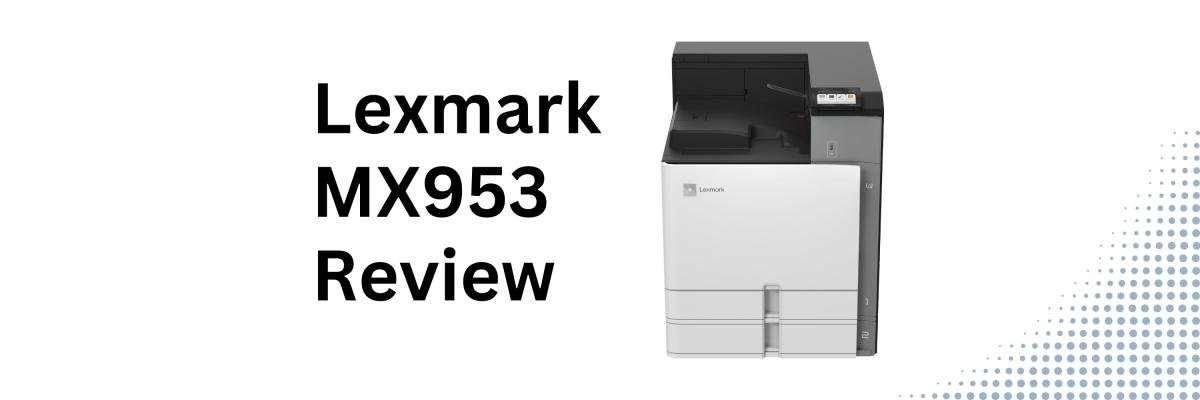
Not every office needs color printing.
For example, legal teams, schools, finance departments, and healthcare organizations often print thousands of black-and-white pages every month, and they need a machine that can keep up without becoming a bottleneck.
The Lexmark MX953se is one such machine.
We’ve helped businesses choose both color and black and white office printers. While we work with Xerox and Lexmark solutions, this article is intended to help you decide whether the Lexmark MX953se monochrome A3 multifunction printer is the right fit for your workflow.
In this review, we’ll walk through the MX953se’s pros, cons, scanning capabilities, media handling, pricing considerations, and who will benefit most from it.
Check out our review of the Xerox MX951 here.
Table of Contents
- What Is the Lexmark MX953se?
- Lexmark MX953se Basics
- Key Features
- Pros and Cons
- How Much Does the MX953se Cost?
- Who Should Buy the MX953se?
- Is the Lexmark MX953se Worth It?
- FAQ
Short Answer: Is the Lexmark MX953se Worth Considering?
The Lexmark MX953se is a 55 ppm monochrome A3 multifunction printer. It’s ideal for large workgroups that need fast black-and-white printing, high-speed duplex scanning, advanced finishing, and strong workflow capabilities. It stands out in print speed, large-format flexibility, and document-heavy workflow performance.
What Is the Lexmark MX953se?
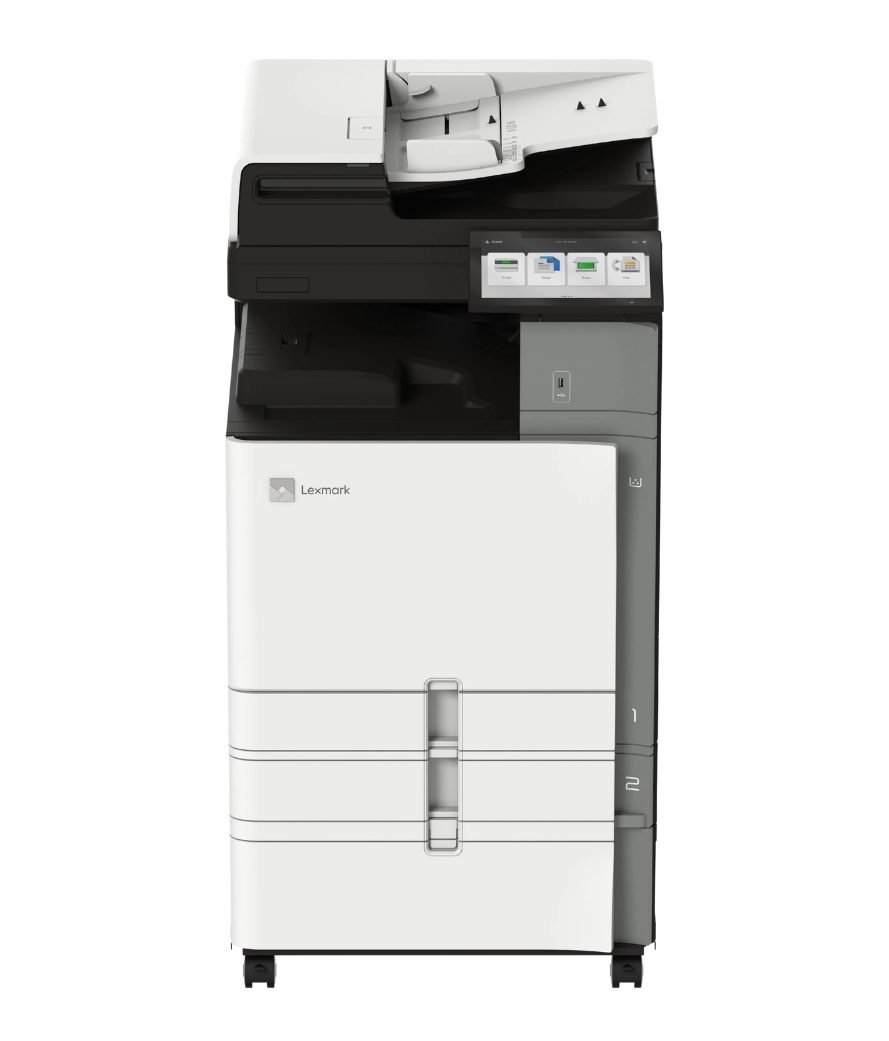
The Lexmark MX953se is a monochrome A3 multifunction printer that offers speed, scanning, and high-volume document workflows.
With print and copy speeds up to 55 pages per minute, plus single-pass duplex scanning up to 200 images per minute, it’s designed for departments that value productivity over color graphics.
This makes it a great choice for:
- Legal offices
- Schools and universities
- Healthcare administration
- Finance departments
- Government organizations
- Centralized office environments
Overall, it combines enterprise-level throughput with lower monochrome operating costs.
Lexmark MX953se Basics
- Print speed: Up to 55 ppm black-and-white
- Monthly Duty Cycle: Up to 270,000 pages per month
- Recommended Monthly Print Volume: 7,000 – 50,000 pages
- Scan speed: Up to 200 ipm duplex (in black & color)
- Paper capacity: Up to 4,750 sheets max
- ADF: 200-sheet single-pass duplex feeder
- Print Resolution: 1200 x 1200 dpi
- Media support: Up to SRA3 and 12 x 18"
- Base Model Weight: 5 lb.
These specs position the MX953se as a high-volume monochrome A3 MFP for document-intensive departments.
Lexmark MX953se Key Features
Fast Duplex Scanning for Document-Heavy Workflows
The MX953se includes a 200-sheet single-pass duplex feeder with scan speeds up to 200 images per minute. It can also scan in both color and black-and-white. This means it can handle departments that constantly process large batches of documents.
For example:
- Onboarding paperwork
- Contracts and legal files
- Invoices and accounting records
- Student records
- Healthcare documentation
It also supports searchable PDFs, DOCX scanning, USB scanning, network folders, and cloud-connected workflows.
Easy Workflows and Easy Upkeep
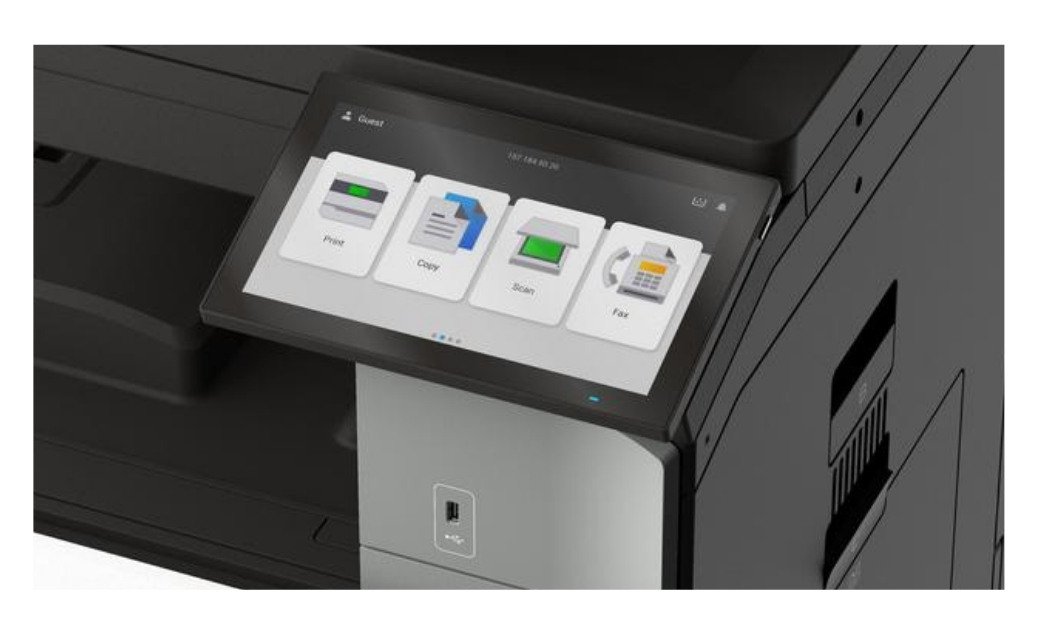
One of the MX953se’s biggest upsides is how simple its interface is.
The 10-inch Lexmark e-Task touchscreen gives a tablet-like experience with shortcut-driven workflows and intuitive navigation.
The MX953 also supports organizations moving toward workflow automation with:
- Lexmark eSF apps for routing, scanning, OCR, and automation
- Xerox ConnectKey apps for Lexmark devices, including cloud connectors, translation, document conversion, and Workflow Central capabilities
This helps teams reduce repetitive document processes without making the system feel too technical.
Long-term maintenance is now easier with features like:
- One-handed toner replacement
- Easy-access service areas
- Simple status alerts
- Long-life consumables
These make the device simpler for both end users and technicians to manage.
A3 and SRA3 Media Flexibility
The MX953se supports:
- A3/tabloid printing for spreadsheets, reports, and oversized documents
- SRA3 (Supplementary Raw Format A) for larger media and extra bleed before trimming
This means organizations can bring more document production in-house instead of outsourcing oversized jobs.
Optional finishing includes:
- Stapling
- Hole punching
- Booklet making
- Folding
- Offset stacking
Strong Security for Enterprise Environments
The MX953se has the same Secure by Design framework as all other models in the Lexmark 9-Series. This framework includes:
- Trusted Platform Module (TPM)
- Secure boot
- Certificate management
- Encrypted storage
- Network security protocols
- IPSEC support
- Audit Logging
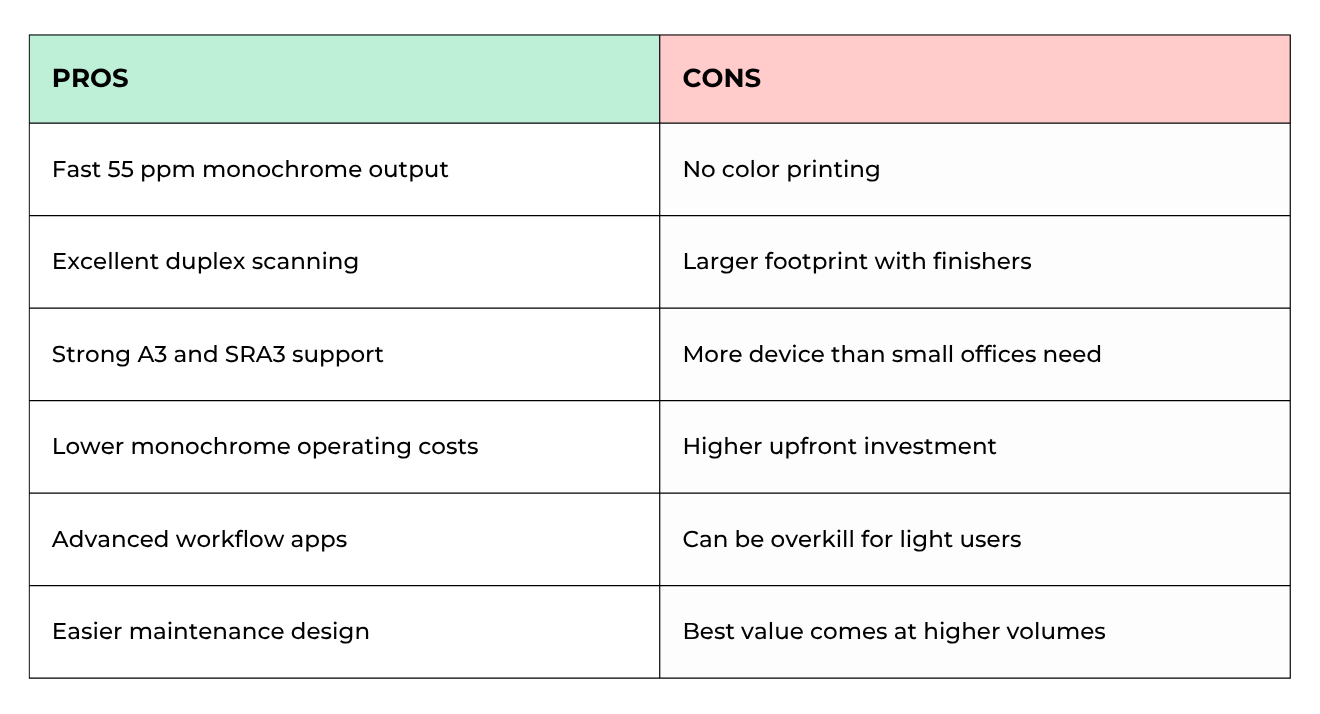
Lexmark MX953se Pros and Cons
How Much Does the MX953se Cost?
The MX953 can be configured to add components such as input and finishing options. The final cost will depend on what options you choose to add, as well as whether you purchase things like software subscriptions and service agreements later.
For a more accurate look at cost, consider the long-term cost (true cost of ownership) of your printer. Look at factors such as:
- Trays
- Finishers
- Ssoftware
- Workflow tools
- Service agreements
- Installation
Compared to color A3 MFPs, monochrome models like the MX953se often have lower operating costs while still delivering enterprise-level speed and workflow capability.
Who Should Buy the MX953se?
Best fit
- Legal teams
- Schools and universities
- Finance departments
- Healthcare administration
- Centralized office environments
- Organizations printing high monochrome volumes
Less ideal
- Marketing-heavy environments
- Teams needing color graphics
- Small offices
- Low-volume workflows
Is the Lexmark MX953se Worth It?
The Lexmark MX953se is a strong monochrome A3 MFP choice for organizations that want speed, scanning, reliability, and document-heavy workflows with no color output.
Its standout features include 55 ppm performance, high-speed duplex scanning in both color and black-and-white, media flexibility, and a workflow-friendly design.
This machine offers strong enterprise-level productivity and lower monochrome operating costs, which is great for high-volume departments.
FAQ
Is the MX953se a color printer?
No. The MX953se is a monochrome (black-and-white) A3 multifunction printer.
How fast is the MX953se?
It prints at up to 55 ppm and scans at up to 200 ipm duplex.
Does the MX953se support A3 and SRA3 media?
Yes. It supports both sizes for oversized reports, presentations, and document production workflows.
Who is the MX953se best for?
It’s best for organizations with high monochrome print volumes and heavy scanning workflows.
See If the MX953se Fits Your Workflow
If your organization prints large volumes of black-and-white documents and needs faster scanning, A3 capability, and advanced finishing, the MX953 could be the right fit. However, you’ll need to compare your workflow needs to get the right configuration.
Use our Product Configurator to compare the MX953se with other Lexmark and Xerox A3 multifunction printers based on factors like your print volume, workflow needs, and finishing requirements.
Not sure whether monochrome or color makes more sense for your environment? Request a quote, and we’ll help you determine the right setup for your workflow and budget.
