 Skip to main content

According to the United Nations, the world generated more than 62 million metric tons of electronic waste in 2022. And this number is only growing every year. However, only a fraction of that waste is actually collected and recycled. Printers, copiers, scanners, and other office equipment often end up in storage rooms, garages, closets, and landfills.
If you've recently upgraded your office equipment or have an old printer that's no longer working, you may be wondering what to do with it. Can you throw it away? Should you recycle it? Does it store any information that needs to be erased first?
The answer will depend on the type of printer, its condition, and whether it contains any sensitive data.
Over the 40 years we’ve been in the printer industry, we've seen everything from small desktop printers being replaced to entire fleets of office copiers being retired. In fact, we’ve done this ourselves.
In this guide, we'll explain exactly how to dispose of old printers responsibly and securely.
Short Answer
The best way to dispose of an old printer is to securely remove any stored data first. Then you can recycle, donate, sell, trade in, or properly dispose of the device through an approved electronics recycling program. Printers should not be placed in regular household trash because they contain electronic components, plastics, metals, and consumables that require special handling.
Table of Contents
- Can Printers Be Recycled?
- Before You Dispose of a Printer, Check for Stored Data
- 5 Ways to Dispose of an Old Printer
- How to Dispose of Multiple Office Printers
- Can You Throw a Printer in the Trash?
- What Happens to Recycled Printers?
- How Do You Know It's Time to Retire a Printer?
- FAQ
Can Printers Be Recycled?
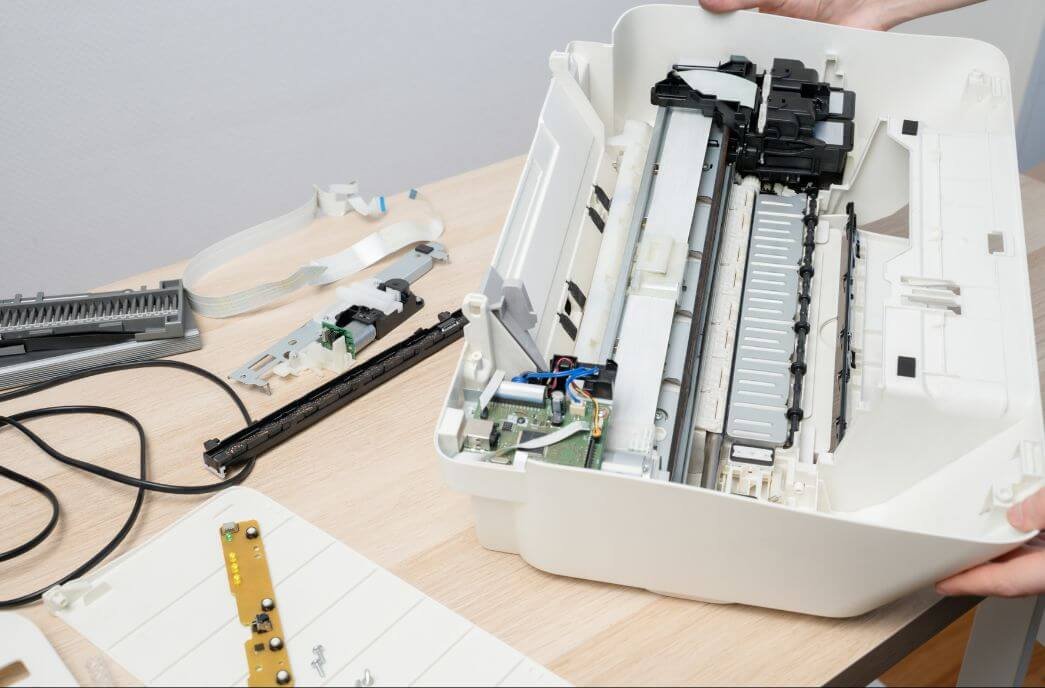
Yes, most printers can be recycled through electronics recycling programs. Printers contain recyclable materials such as plastic, steel, aluminum, wiring, and electronic circuit boards that can often be recovered and reused.
Printers are considered electronic waste (e-waste), which means they require different disposal methods than ordinary household trash.
A printer contains:
- Plastic housings
- Metal frames and components
- Circuit boards
- Wiring
- Power supplies
- Toner or ink-related components
When these materials are recycled properly, they can be processed and reused in future products instead of ending up in a landfill.
Just as importantly, responsible recycling helps prevent potentially harmful materials from entering the environment.
Before You Dispose of a Printer, Check for Stored Data
Some printers with hard drives can possibly store information such as print jobs, scanned documents, user credentials, address books, and network settings. So, before recycling or selling a printer, it's important to remove any stored data.
People often think printers are simply output devices. However, modern multifunction printers (MFPs) are often much more sophisticated.
Depending on the model, especially if a printer has a hard drive, it’s possible that a printer can store things like:
- User accounts
- Network settings
- Email addresses
- Address books
- Scan destinations
- Saved workflows
- Print history
- Temporary document files
If you work in information-sensitive environments such as healthcare organizations, schools, law firms, and financial institutions, it’s especially important to understand how a printer stores data and how to protect it.
Security Checklist Before Disposal
Before getting rid of any printer, consider completing the following steps:
Perform a Factory Reset
Most modern printers include a factory reset option that restores default settings and removes stored configuration information.
Remove External Storage Devices
Check for:
- SD cards
- USB drives
- Removable storage accessories
Remove or Wipe Hard Drives (If Applicable)
Many larger office copiers and multifunction printers contain hard drives that may store scanned or printed documents.
Remove User Accounts and Address Books
Delete saved contacts, email destinations, and authentication credentials.
Disconnect the Device
Remove the printer from:
- Computers
- Print servers
- Cloud printing platforms
- Mobile print systems
5 Ways to Dispose of an Old Printer
There isn't a single best option for every situation. The right choice depends on whether the printer still works, its age, and its value.
Option 1: Recycle It Through an E-Waste Program
Recycling is often the best option for printers that are broken, obsolete, or no longer economically repairable.
Common recycling options include:
- Municipal e-waste programs
- Electronics recycling events
- Local recycling centers
- Certified e-waste recyclers
Many communities provide designated collection sites for electronic devices.
Before dropping off your printer for recycling, remember to remove any remaining toner or ink supplies, as these can be recycled separately. Check out our guide on how to recycle toner cartridges for step-by-step disposal options.
This method is best for:
- Broken printers
- Very old equipment
- End-of-life devices
Option 2: Use a Manufacturer Trade-In Program
Many manufacturers offer programs that help customers responsibly dispose of old equipment.
Depending on the manufacturer and model, you may find:
- Recycling programs
- Equipment take-back programs
- Trade-in incentives
- Sustainability initiatives
This method is best for:
- New equipment purchases
- Recently retired devices
Option 3: Donate a Working Printer
If the printer still functions properly, donation may be a better option than recycling.
Potential recipients include:
- Schools
- Churches
- Nonprofits
- Community organizations
- Charitable programs
Before donating, verify that the printer is operational and that replacement supplies are still readily available.
This method is best for:
- Functional printers
- Lower-volume office equipment
- Home office devices
Option 4: Sell It
Some printers still have retail value long after they've been replaced.
Business-grade devices, production equipment, and newer MFPs are still attractive to:
- Small businesses
- Refurbishers
- Equipment brokers
- Local buyers
You may be able to sell through:
- Facebook Marketplace
- eBay
- Local classifieds
- Equipment dealers
This method is best for:
- Newer devices
- Business-class printers
- Production equipment
Option 5: Work With a Print Vendor
If your organization plans to replace multiple devices or if you are unsure of how to dispose of your device, partnering with a print vendor can make the process much easier.
Many vendors can assist with:
- Equipment removal
- Data security considerations
- Fleet replacement projects
- Recycling coordination
- Trade-in evaluations
Working with a print vendor can help you save significant time when retiring several devices at once.
This method is best for:
- Businesses
- Schools
- Healthcare facilities
- Multi-location organizations
How to Dispose of Multiple Office Printers
As we stated earlier, if your organization is replacing several printers at once, working with a qualified print vendor or electronics recycler is usually the most efficient approach.
It can be challenging having to manage ten, twenty, or fifty devices in one go.
Organizations with multiple devices need to address:
- Data security
- Transportation logistics
- Asset tracking
- Recycling documentation
- Trade-in opportunities
- Compliance requirements
Environments such as schools, healthcare providers, legal firms, and larger businesses benefit most from a structured retirement plan when replacing an entire fleet.
Can You Throw a Printer in the Trash?
In most cases, no. Printers shouldn’t be thrown away in your regular household or office trash.
Many states and municipalities classify printers as electronic waste.
Even when local regulations allow disposal through regular waste streams, it’s best to recycle if you can. This allows your printers’ valuable materials to be recovered and reused.
If you're unsure about your local requirements, check with your municipality or local recycling authority.
What Happens to Recycled Printers?
Recycled printers are typically disassembled so their materials can be recovered, reused, or processed responsibly.
Depending on the recycler, components may be:
- Separated by material type
- Refurbished for reuse
- Harvested for parts
- Processed into raw materials
Commonly recovered materials include plastic, steel, aluminum, and copper wiring.
How Do You Know It's Time to Retire a Printer?
At some point, despite following the ideal conditions for your printer and maintaining it properly, you will need to throw it away.
Throwing a printer away is necessary when it has truly reached the end of its useful life.
Here are signs it may be time to replace your printer:
- Repairs are becoming frequent
- Parts are difficult to find
- The device has reached EOS (End of Service)
- Security updates are no longer available
- Supply costs are increasing
- Reliability is declining
An aging printer often costs more to maintain than many organizations realize.
If you're evaluating whether to recycle or replace your current equipment, these related resources may help:
- What Is EOS (End of Service) for My Printer?
- My Copier Is Old. Am I at Risk?
- 5 Signs It's Time to Upgrade Your Printer
FAQ
What is the best way to dispose of an old printer?
The best option is usually to recycle, donate, sell, or trade in the printer after removing any stored data. Avoid placing printers in regular trash whenever possible.
How do I get rid of an unwanted printer?
You can recycle it through an e-waste program, donate it if it still works, sell it, or work with a print vendor to coordinate disposal.
What should you do with your old printer?
Start by determining whether the printer still works. Functional printers can often be donated or sold, while broken printers should typically be recycled.
Do you need to erase a printer before recycling?
Yes. Many modern printers, especially those with a hard drive, can possibly store network settings, user information, and document-related data. Performing a factory reset is recommended before disposal.
Do old printers store information?
Some do. Multifunction printers and office copiers often store user settings, address books, scan information, and other data that should be removed before disposal.
Dispose of Your Printer Responsibly
When it comes to getting rid of an old printer, you want to know you're making the right choice for your business, home office, or organization.
Now that you understand the options available, whether that's recycling, donating, selling, trading in, or securely retiring a device, you can move forward with confidence. Don’t forget to protect any stored data and choose a disposal method that keeps reusable materials out of the landfill whenever possible.
At Strategic Technology Partners of Texas, we've spent more than 40 years helping organizations manage the entire lifecycle of their print equipment. We install, maintain, upgrade, and help plan printer retirements.
If you're unsure whether your printer should be recycled, repaired, or replaced, contact our team for a free assessment. We'll help you evaluate your options and determine the most practical next step for your organization.
