 Skip to main content

When an office starts printing more, its printers often can’t keep pace. This is when organizations start looking for something that offers more performance without being a full-blown high-end production device.
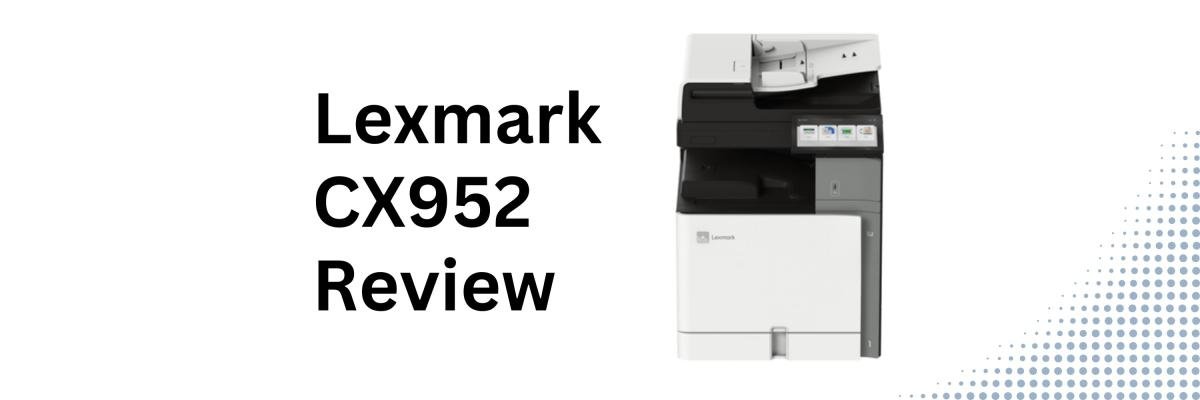
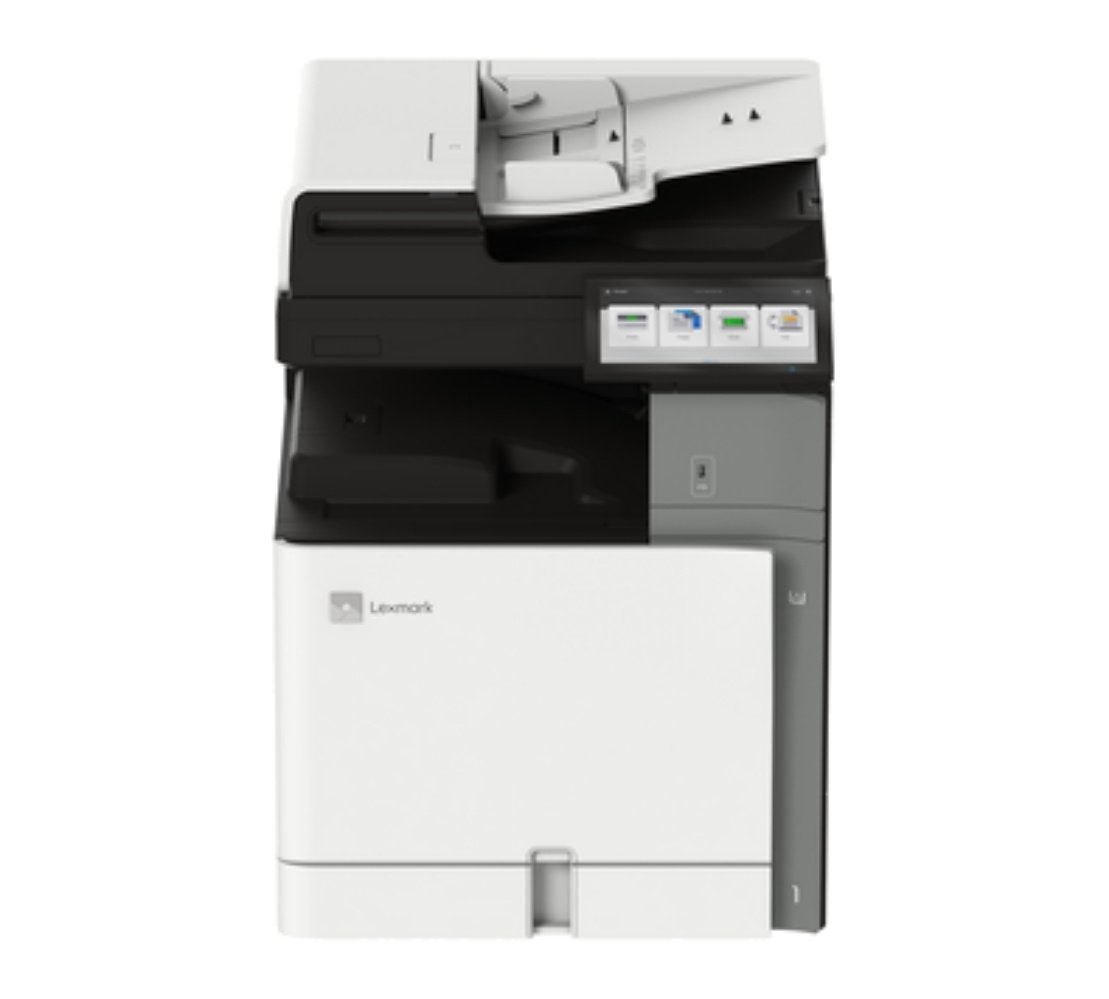
The Lexmark CX952se is designed to fill that gap.
Positioned in the middle of Xerox-Lexmark's new 9-Series lineup, the CX952se offers faster print speeds than entry-level A3 models. It also offers simple operation, enterprise security, flexible media handling, and workflow automation. It's built for organizations that want a powerful printer that's still easy to use and maintain.
As a Xerox and now Lexmark partner with nearly 40 years of experience, our goal is to provide an objective review that helps you decide whether this printer is the right fit for your organization.
In this review, we'll cover the CX952se's specifications, standout features, strengths, tradeoffs, pricing considerations, and the types of organizations that will benefit from it most.
Table of Contents
- Short Answer: Is the Xerox-Lexmark CX952se Worth Considering?
- What Is the Lexmark CX952se?
- Lexmark CX952se Basics
- Key Features
- Pros and Cons
- How Much Does the CX952se Cost?
- Who Should Buy the CX952se?
- Final Verdict
- FAQ
Short Answer: Is the Xerox-Lexmark CX952se Worth Considering?
The Xerox-Lexmark CX952se is a 45 ppm A3 color multifunction printer designed for medium to large workgroups that need faster output, professional color quality, enterprise security, and modern workflow capabilities. It offers an excellent balance between performance, versatility, and ease of management.
What Is the Lexmark CX952se?
The Lexmark CX952se is an A3 color multifunction printer designed for organizations that have outgrown entry-level office printers but don't necessarily need the highest-speed models in the Lexmark 9-Series.
With 40 pages per minute output, fast duplex scanning, support for large media sizes, and a flexible finishing ecosystem, it handles everything from everyday office documents to customer-facing presentations and marketing materials.
It's especially well suited for organizations that:
- Have growing print volumes
- Need A3/tabloid printing
- Produce high-quality color documents
- Want to improve document workflows
Lexmark CX952se Basics
- Print speed: Up to 45 ppm color and black-and-white
- Monthly Duty Cycle: Up to 200,000 pages per month
- Recommended Monthly Print Volume: 7,000–50,000 pages
- Scan speed: Up to 200 ipm duplex
- Print Resolution: 1200 × 1200 dpi
- Media support: Up to SRA3 and 12 × 18"
- Base Model Weight: 180.2 lb.
The CX952se performs a step above the CX951.
Xerox-Lexmark CX952se Key Features
Faster Scanning for Growing Workloads
The CX952se features single-pass duplex scanning at up to 200 images per minute. It includes a 200-sheet automatic document feeder that’s great for departments that need to digitize large batches of paperwork.
It’s ideal for scanning contracts, HR records, invoices, or healthcare documentation. With its larger feeder and faster scan speeds, the CX952se helps teams move through work with fewer interruptions.
Simple UI, Smart Workflows, and Easier Maintenance
A big strength of the entire Xerox-Lexmark 9-Series is how approachable it feels despite its enterprise capabilities.
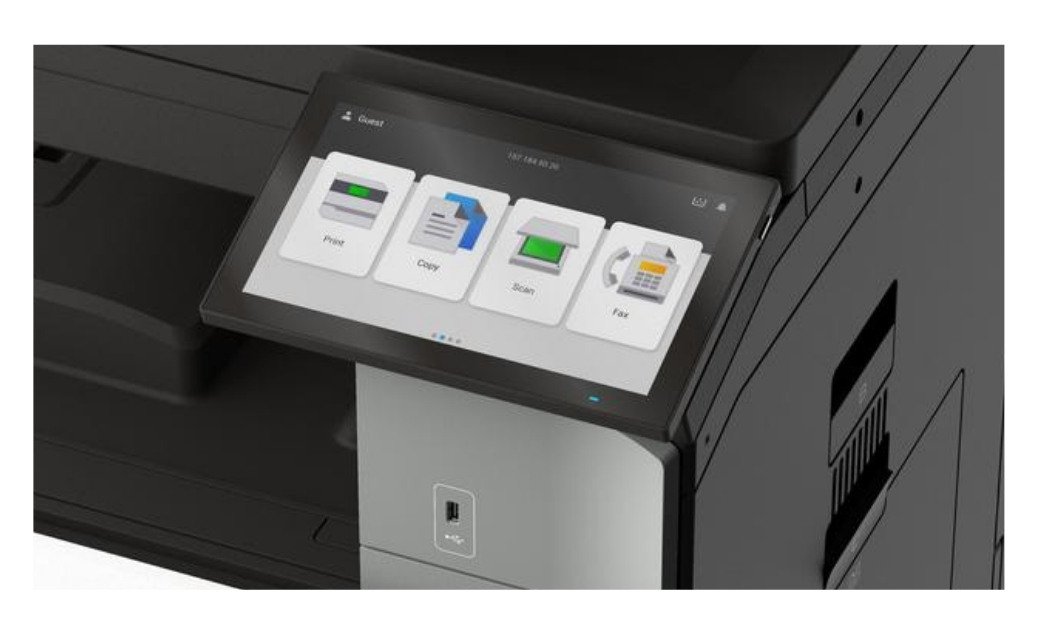
The 10-inch Lexmark e-Task touchscreen has an intuitive interface for easy everyday printing, copying, and scanning. Users can quickly access frequently used functions without having to navigate complicated menus.
The CX952se also supports:
- Lexmark eSF (Embedded Solutions Framework) apps
- Xerox ConnectKey Apps for Lexmark devices
- Xerox Workflow Central, including document conversion, translation, cloud connectors, and workflow automation
These tools allow organizations to automate repetitive tasks, scan directly to cloud services, and streamline document workflows while keeping the user experience straightforward.
Replacing supplies is also made easier. Features such as one-handed toner replacement, firmware toner lock, fewer replaceable components, and clear maintenance alerts help reduce downtime and simplify day-to-day management for both users and IT teams.
A3 and SRA3 Media Flexibility with Professional Color
The CX952se supports both A3 (11 × 17) and SRA3 media.
A3 allows businesses and organizations to print spreadsheets, architectural drawings, presentations, and larger reports. SRA3 provides extra bleed space that's especially useful for brochures, booklets, flyers, and other professionally trimmed materials.
The printer also includes professional color features, including PANTONE calibration, that help maintain consistent, accurate color across presentations, branded documents, and marketing materials.
Optional finishing includes:
- Stapling
- Hole punching
- Booklet making
- Folding
- Offset stacking
With these features, the CX952se can produce polished, client-ready documents without outsourcing everyday print jobs.
Enterprise-Level Security
The Xerox-Lexmark 9-Series prioritized security through its Secure by Design philosophy, which includes enterprise-grade security features such as:
- Trusted Platform Module (TPM)
- Secure Boot
- Firmware validation
- Certificate management
- Network security protocols
- Encryption
- Audit logging
These capabilities help protect sensitive information while supporting modern IT security requirements.
Lexmark CX952se Pros and Cons
How Much Does the CX952se Cost?
The CX952se is highly configurable.
The total investment cost of this copier will depend on factors such as:
- Additional paper trays
- Finishing equipment
- Workflow software
- Print management solutions
- Installation
- Service agreements
These factors should be considered as part of a printer’s total cost of ownership.
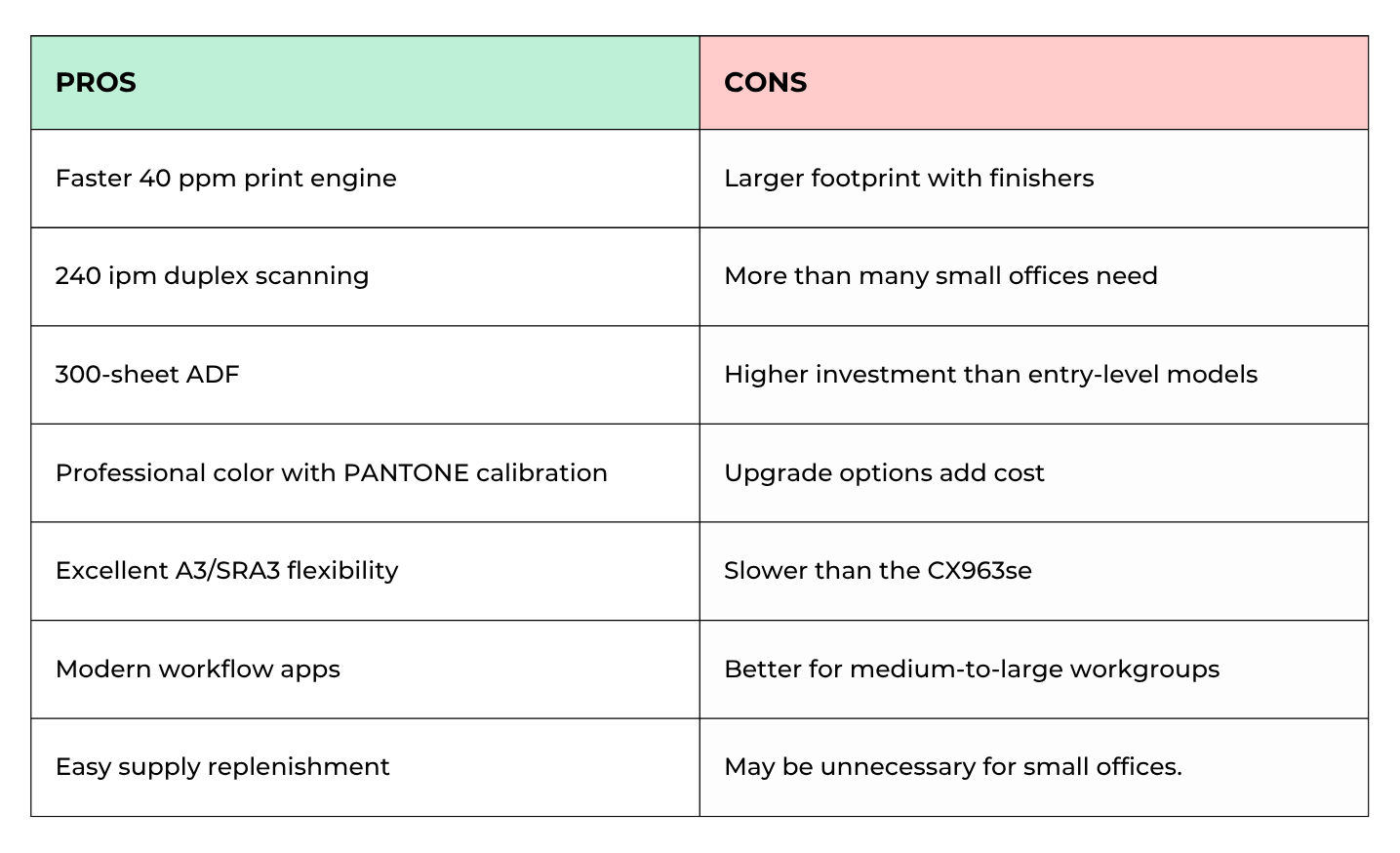
While it costs more than entry-level A3 printers, the additional speed, scanning performance, workflow capabilities, and finishing options often make it a worthwhile investment for growing organizations.
Who Should Buy the CX952se?
Best fit
- Growing businesses
- Medium-to-large departments
- Schools and universities
- Healthcare organizations
- Legal firms
- Marketing departments producing in-house materials
Probably not ideal
- Small offices with low print volumes
- Businesses that only print letter-size documents
- Organizations needing production-level print speeds
- Offices that only print black-and-white documents
Is the Lexmark CX952se Worth It?
The Lexmark CX952se is an excellent mid-to-high-volume A3 color multifunction printer for organizations that need high performance without stepping into production-class equipment.
Its combination of 45 ppm printing, fast duplex scanning, professional color capabilities, workflow automation, enterprise security, and user-friendliness makes it a strong choice for businesses looking to improve productivity while keeping everyday operation easy.
Check out our reviews of the other like models in the 9-Series:
FAQ
Is the Lexmark CX952se faster than the CX951se?
Yes. The CX952se increases print speed from 35 ppm to 40 ppm, while also offering a larger 300-sheet automatic document feeder and faster scanning.
Does the CX952se support A3 and SRA3 paper?
Yes. It supports both A3 and SRA3 media, making it suitable for oversized documents as well as full-bleed marketing materials.
Who is the Lexmark CX952se best for?
It's ideal for medium-to-large businesses that need faster color printing, high-volume scanning, and advanced workflow capabilities without moving to a production press.
See if the CX952se Fits Your Office
If your team is looking for faster output, larger paper sizes, stronger scanning capabilities, and modern workflow tools, the Lexmark CX952se is worth considering.
To compare it with other Lexmark 9-Series and Xerox AltaLink models, try our Product Configurator, where you can filter devices by print speed, paper size, monthly volume, and features to find the best match for your organization.
If you'd rather talk through your options, request a quote or contact our team. We'll help you compare models, answer your questions, and recommend the right configuration based on your workflow, print volume, and budget.
