 Skip to main content

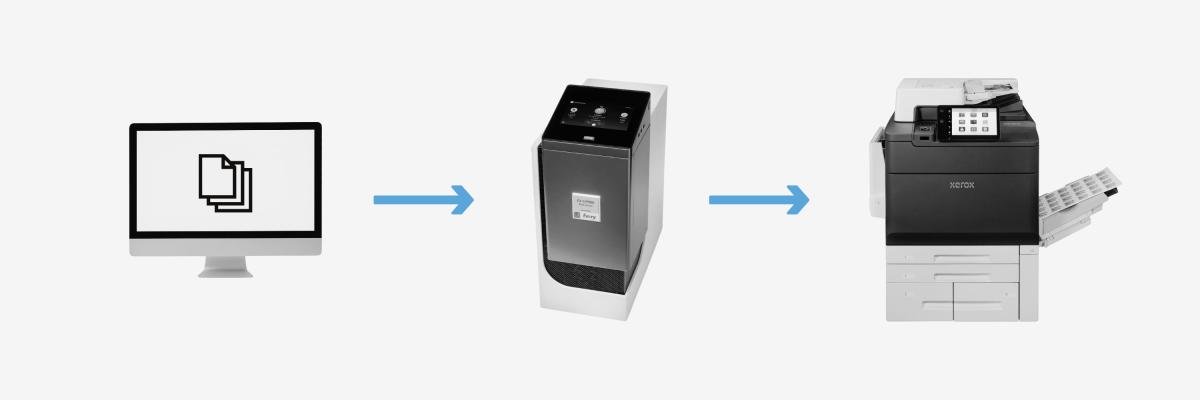
One of the biggest struggles of production printing is having a document look perfect on your screen, only for it to come out slightly off or misaligned when it’s printed. And, the problem isn’t always the printer itself, but rather how the files are prepared and managed before you print them.
The truth is, even the most advanced printers can’t reach their full potential without a little help from technology working behind the scenes.
A Digital Front End (DFE) is a tool that bridges the gap between your computer and your production printer to ensure speed, accuracy, and flawless color from job to job.
At Strategic Technology Partners of Texas (STPT), we’ve know that the right DFE setup can make the difference between a workflow that feels manual and one that runs like clockwork.
Table of Contents
- What Is a Digital Front End (DFE)?
- What Does a DFE Do?
- The Benefits of Using a DFE
- How Fiery Powers Xerox Production Printers
- When Does a Business Need a DFE?
- Conclusion: Building a Smarter Print Workflow
What Is a Digital Front End (DFE)?
A Digital Front End, often called a DFE, is essentially the control center for your printer. Made up of hardware and software, it’s the system that manages how print jobs are processed, optimized, and printed.
In other words, it’s like the brain of your print operation. It takes your digital design files, interprets the data, manages colors, and ensures the printer produces exactly what you see on screen accurately, consistently, and efficiently.
DFEs generally come in two forms:
- Embedded or Integrated DFEs are built directly into the printer. These are great for smaller in-plant or office-style production environments that want reliable speed and color management without additional hardware.
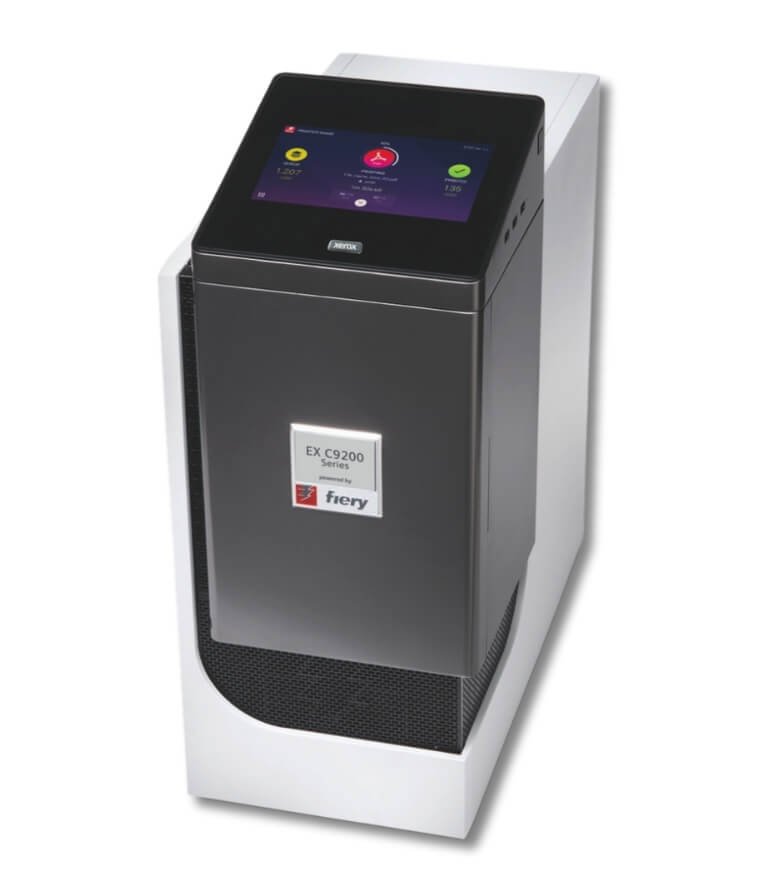
- External DFEs are separate, dedicated servers designed for higher-performance print environments. They offer more processing power, advanced automation, and greater color control. Great for professional print shops with high print volume.
For example, many Xerox production printers, such as the Versant and PrimeLink series, offer both embedded and external Fiery server options. These give businesses the flexibility to match their workflow demands and budget.
Example of the external print server for the C9200 Series powered by Fiery
Every printer brand has its own version, such as HP SmartStream or Canon PRISMAsync.
Whether embedded or external, every DFE serves to simplify the complex processes that happen between your computer and the printed page. Let’s take a closer look at what a digital front end actually does and why it’s crucial in producing high-quality results.
What Does a DFE Do?
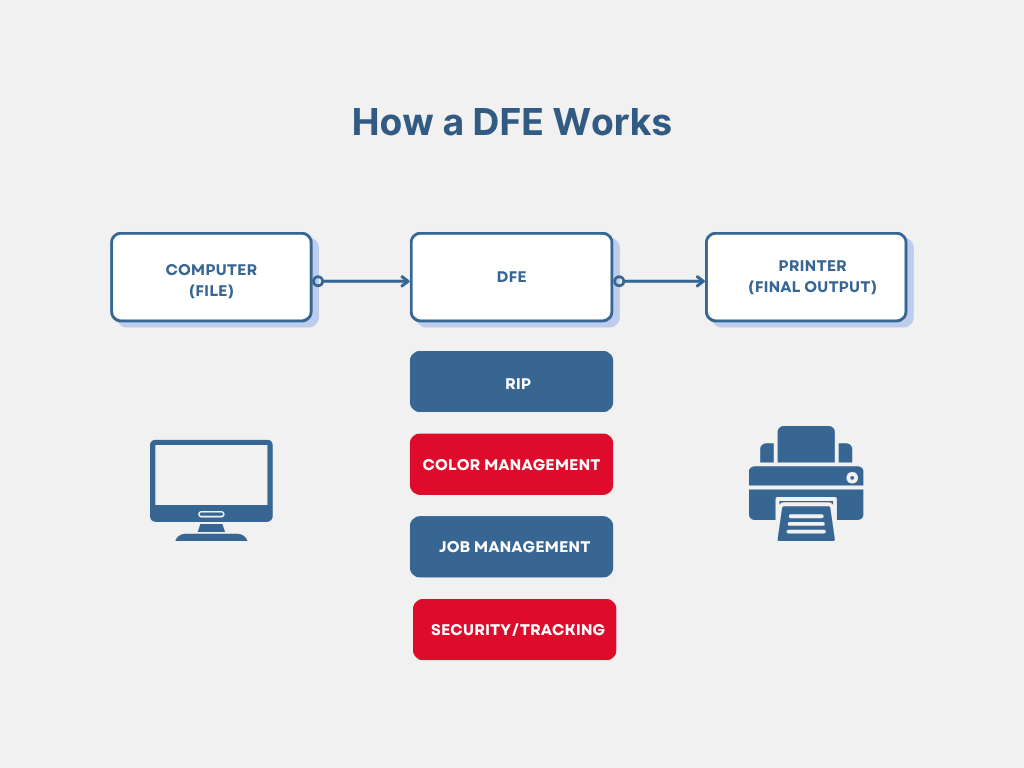
Behind every flawless print job is a series of precise steps that most operators never see. A DFE handles these steps automatically, including:
- Image Data Processing (RIP): Converting PDFs or PostScript files into printable bitmaps. This process determines how every color and pixel is rendered.
- Color Management and Correction: Ensuring colors remain accurate and consistent across different media types.
- Job Management and Scheduling: Prioritizing, batching, and queuing jobs to reduce downtime.
- Security and Accounting: Providing user authentication, job tracking for better control and accountability.
Note: Not all DFEs are the same, and their exact features will depend on the specific version and printer model it’s compatible with.
Without a DFE, print environments often face problems like inconsistent color, longer turnaround times, and operator errors. These issues can slow down production and eat into profits.
For more on how to balance print quality and efficiency, read our blog on Office Print Quality vs. Production Print Quality: What’s Right for Your Business?
The Benefits of Using a DFE
By adding a DFE to your production workflow, you can improve how jobs are printed and optimize your entire operation. Here’s what that looks like in practice:
Consistent, Accurate Color
Color accuracy is one of the biggest challenges in printing. Manually calibrating printers every day takes time, and even small shifts in temperature or humidity can throw off your results.
A DFE automates this process. It maintains color consistency through built-in calibration and profiling tools. Some Fiery DFEs provide options to have advanced features like Zero-Touch Recalibration and 1-Step Color Management to ensure your press stays accurate with little to no manual input.
Faster Turnaround and Smarter Workflows
In a busy print shop, time is money. DFEs streamline complex print jobs using workflow automation. For example, Fiery’s JobFlow software lets you predefine tasks like file correction, imposition, or routing. This helps cut down on repetitive work and reduce operator error.
Higher Productivity and ROI
Here’s a brief story from one STPT customer, a financial advisory firm. This firm struggled to meet printing needs for its client reports and check packets. Their smaller office printers weren’t built for the high volume or the specialty toner required (MICR).
What was our solution? We installed two entry-level Xerox production printers and two Fiery DFEs to automate large portions of their workflow. By using Fiery JobFlow to print multiple jobs as one and split tasks between devices, they boosted efficiency, productivity, and saved tens of thousands of dollars annually.
Consistent Quality Across Print Environments
Unlike some proprietary systems that work with only a single brand, Fiery DFEs are tailored to support top printer brands such as Canon, Ricoh, and Konica Minolta. That means if you’re running a mixed fleet with a Xerox Versant and another vendor’s press, you can anticipate a consistent overall quality and experience across different systems.
To see whether your business is ready for production-level performance, check out Is a Production Printer Right for Your Business?
How Fiery Powers Xerox Production Printers
Fiery DFEs are the standard for Xerox’s top production models, including the Versant 280, Versant 4100, Iridesse, IJP900 Inkjet Press, and PrimeLink C9200/B9100 Series.
Here’s what makes Fiery such a powerful choice for Xerox printers:
- 10-bit Processing: Delivers ultra-smooth gradients and fine detail.
- FS600 System Software: Offers faster performance and long-term compatibility.
- PredictPrint + Fiery Integration: Automates stock calibration and profiling, so every print looks consistent from the first sheet to the last.
- Advanced Color Tools: Features like Fiery Color Profiler Suite ensure accuracy that meets the highest color standards.
If you’re curious about how Fiery integrates into the larger Xerox ecosystem of software and finishing tools, you can explore our guide: Your Guide to Xerox Production Print Solutions.
When Does a Business Need a DFE?
While powerful, a DFE isn’t just for massive print operations. Any organization that values color control, consistency, and workflow efficiency can be the right fit. Below are some signs that you might need a DFE:
- You run high-volume or color-critical jobs regularly.
- You use variable data printing for personalization or marketing campaigns.
- You work with multiple media types and need reliable color across all of them.
- You want to automate time-consuming prepress steps.
Businesses like marketing firms, universities, print-for-pay shops, and in-plant facilities often see the biggest returns. However, smaller offices (like law or medical practices) might not need a full DFE setup until their print demands grow.
For more help determining your best-fit device, visit Which Xerox Production Printer Is Right for You?
Building a Smarter Print Workflow
Having worked with hundreds of Texas businesses, it's clear to us that consistent color and streamlined workflows don’t happen by chance. They are the result of the right technology empowering your team.
A Digital Front End can boost your production printer’s performance. It can ensure your prints come out right the first time, every time. Whether you’re running a full-scale print shop or an in-plant marketing department, a DFE like Fiery can give you the precision and control that today’s high-quality printing demands.
If you’d like more information, speak with one of our local STPT experts. They can explore how a DFE-powered Xerox solution could streamline your print operation and deliver consistent, professional results.
