 Skip to main content

If you’re a department looking to upgrade your aging A3 multifunction printer, it’s a good idea to compare your options.
That’s usually the case for departments printing long reports all day, schools producing packets and booklets, legal teams processing large client files, or internal marketing teams that need polished color documents without outsourcing every short run. When multiple users rely on one A3 color MFP, even small delays in print speed, scanning, or maintenance quickly become noticeable.
That’s exactly where this Lexmark CX963se review comes in.
As a print vendor with nearly 40 years of experience helping businesses choose office technology that actually supports how their teams work, our goal is to give you a neutral, practical review. While we work closely with Xerox and Lexmark solutions, this article is focused on helping you decide whether the Lexmark CX963se A3 color MFP is the right fit for your print volume, finishing needs, and long-term workflow goals.
In this review, we’ll break down the CX963se’s specs, best features, tradeoffs, maintenance advantages, pricing considerations, and who will benefit most from it.
Table of Contents
- What Is the Lexmark CX963se?
- Lexmark CX963se Basics
- Key Features
- Pros and Cons
- How Much Does the CX963se Cost?
- Who Should Buy the CX963se?
- FAQ
- Is the Lexmark CX963se Worth It?
Short Answer: Is the Lexmark CX963se Worth Considering?
The Lexmark CX963se is a 55 ppm A3 color multifunction printer built for large workgroups that need the fastest throughput in the 9 Series, professional color consistency, strong finishing, and advanced workflow apps. Its biggest advantages are its 240 ipm duplex scanner, PANTONE® calibration, enterprise workflow ecosystem, and simplified serviceability.
What Is the Lexmark CX963se?
The Lexmark CX963se is the highest-speed A3 color multifunction printer in the Lexmark 9 Series lineup, built for organizations that need 55 ppm output, fast scanning, professional finishing, and consistent color quality.
This makes it especially strong for:
- school districts
- legal departments
- architecture firms
- finance teams
- healthcare admin teams
- internal marketing departments
- centralized print rooms
Its biggest value is that it combines department-level throughput with polished, customer-facing output.
Lexmark CX963se Basics
- Print speed: Up to 55 ppm color and black-and-white
- Monthly Duty Cycle: Up to 270,000 pages per month
- Recommended Monthly Print Volume: Up to 50,000 pages
- Scan speed: Up to 240 ipm duplex
- Paper capacity: Up to 4,750 sheets max
- ADF: 300-sheet single-pass duplex feeder
- Print Resolution: 1200 x 1200 dpi
- Media support: Up to SRA3 and 12 x 18"
- Base Model Weight: 1 lb.
These specs make it the best fit for teams where 45 ppm still creates bottlenecks.
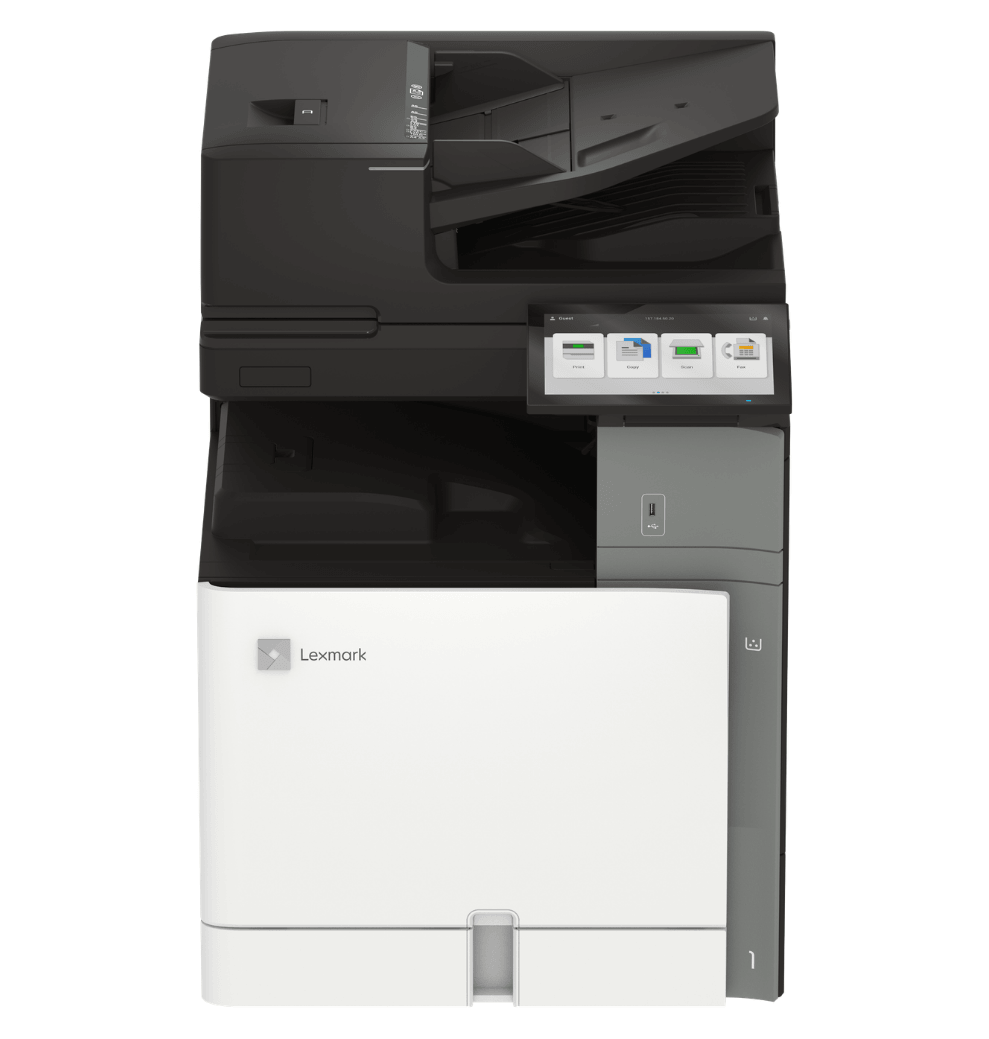
See the picture below for a look at the Lexmark CX963.
Lexmark CX963se Key Features
240 ipm Duplex Scanning for High-Volume Departments
The CX963se includes the same 300-sheet single-pass duplex feeder with up to 240 ipm scan speeds, making it excellent for legal, HR, healthcare, and finance teams scanning large two-sided document batches every day.
This keeps high-volume scanning from becoming the bottleneck in otherwise fast departmental workflows.
Easier Workflows & Simpler Upkeep
One of the CX963se’s biggest strengths is that its simplicity goes far beyond the touchscreen.
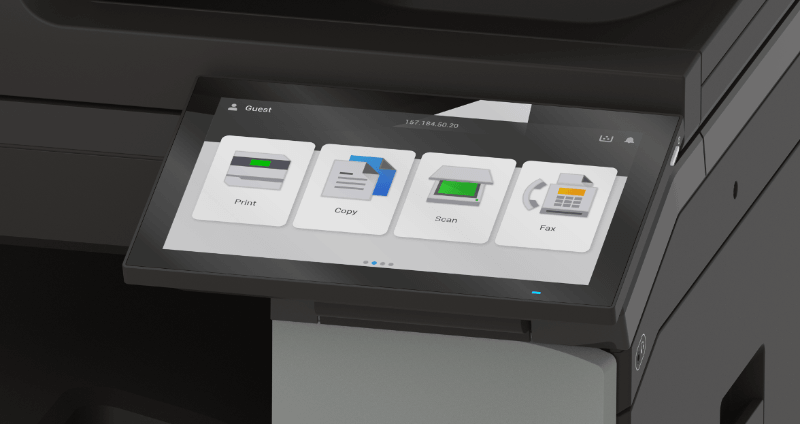
The 10-inch Lexmark e-Task display keeps everyday copy, print, and scan tasks easy to learn with a clean layout, shortcut-driven workflows, and neatly organized advanced settings. Teams can also expand those workflows with Lexmark eSF apps for OCR, routing, cloud scanning, and shortcut automation, along with the five Xerox ConnectKey apps for Lexmark devices for cloud connectors, translation, document conversion, and Workflow Central.
That same simplicity also carries into long-term ownership. Features like one-handed toner replacement, a magnetic waste toner bottle, fewer replaceable parts, and easy-access service areas help reduce downtime and make routine maintenance easier for both users and technicians.
For busy departments, that balance of easy workflows + easier upkeep is what helps a 55 ppm device stay productive day after day.
Professional Media Handling + PANTONE® Color Features
The CX963se is built for teams that need both speed and polished output quality.
It supports A3 paper for tabloid-size reports, spreadsheets, engineering layouts, and presentations, while also supporting SRA3, an oversized version of A3 that gives teams extra room for full-bleed brochures, booklets, posters, and branded handouts before trimming.
What makes this model especially strong is that it pairs that flexibility with professional color features, including PANTONE calibration, helping teams reproduce branded colors, vivid charts, and client-facing proposals more consistently.
Optional finishing includes:
- Stapling
- Hole punching
- Booklet making
- Folding
- Offset stacking
- High-capacity finishers
This makes it a strong fit for teams that want to bring more polished short-run work in-house.
Enterprise-Level Security
The CX963se features the Secure by Design framework that’s present in the rest of the Lexmark 9 Series.
The CX963se includes:
- Trusted Platform Module (TPM)
- Secure boot
- Encrypted storage
- Signed firmware
- Certificate management
- TLS support
- Audit logging
These features make it a strong fit for healthcare, legal, education, and finance.
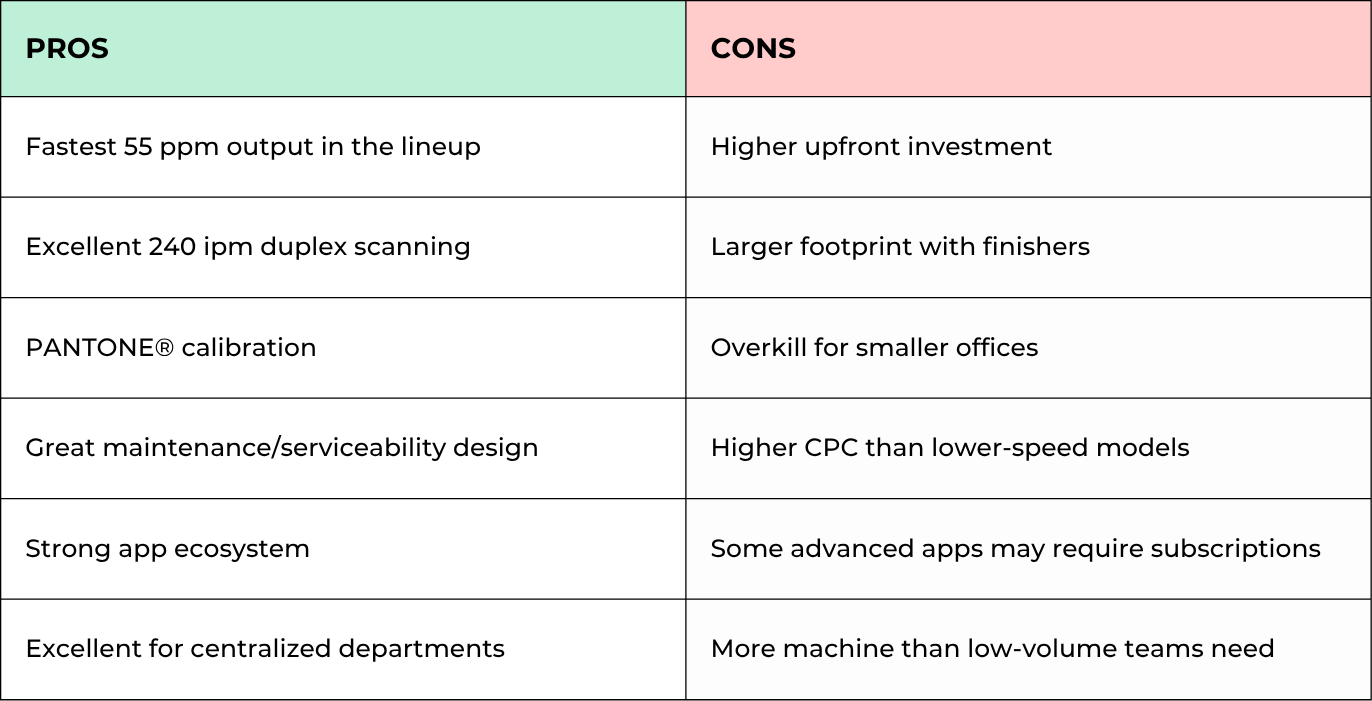
Lexmark CX963se Pros and Cons
How Much Does the CX963se Cost?
The CX963se has several configurations. The actual price will depend on whether you add input or output options such as trays and finishers. Plus, you can add software subscriptions and service agreements later on.
It’s best to look at your printer’s total cost of ownership rather than just the hardware alone.
To find the real long-term cost, evaluate factors such as:
- Trays
- Finishers
- Folding modules
- Software subscriptions
- Service agreements
- Print volumes
- Installation
If you replace several slower devices at once, you can justify the higher cost by saving time on labor, reducing outsourced print jobs, and easing bottlenecks.
Who Should Buy the CX963se?
The CX963se is ideal for organizations that need greater printing volume and superior color quality.
Best fit
- Centralized admin departments
- Schools
- Legal teams
- Internal marketing
- Finance
- Architecture firms
- Organizations replacing multiple A3 devices
Probably not ideal
- Under 10 users
- Low print volumes
- Basic black-and-white workflows
- Teams that don’t use finishing or A3 media
FAQ
Is the CX963se better for centralized departments?
Yes. Its 55 ppm speed and simplified maintenance design make it ideal for departments with multiple daily users.
Does the CX963se support professional color workflows?
Yes. It includes PANTONE® calibration, making it stronger for branded proposals, reports, and presentations.
What makes the CX963se easier to maintain?
Its magnetic waste toner bottle, fewer replaceable parts, and easy-access service areas help reduce downtime.
Is the Lexmark CX963se Worth It?
The Lexmark CX963se is the strongest choice in the 9 Series for teams that need the highest throughput without sacrificing color quality, finishing, or workflow automation.
Its biggest strengths are its 55 ppm speed, 240 ipm scanning, PANTONE® color consistency, advanced app ecosystem, and easier long-term maintenance.
For departments with multiple users who rely on a single A3 device all day, this model can dramatically reduce workflow bottlenecks.
Check out our reviews of the other similar models in the 9-Series:
See If the CX963se Fits Your Department Workflow
If your team regularly prints A3 reports, customer-facing presentations, booklets, or high-volume packets, this series is a good choice. However, to really see if it fits your environment, compare your monthly volume, finishing needs, color expectations, and workflow automation goals against the right configuration.
Use our Product Configurator to compare the CX963se’s speed, finishing, color tools, and workflow apps against other Xerox A3 multifunction printers.
